ENEnglish
 LTLietuviškai
 DEDeutsch
 FRFrançais
 RUРусский
 ESEspañol
 PLPolski
 ITItaliano
 UKУкраїнська
 CSČeština
 PTPortuguês
 JA日本語
JA日本語 LVLatviešu valoda
 ETEesti
 HUMagyar
 IDBahasa Indonesia
 TRTürkçe
 HIहिन्दी
 ELΕλληνικά
 ARالعربية
 THไทย
THไทย VITiếng Việt
 RORomână
 MSBahasa Melayu
 BNবাংলা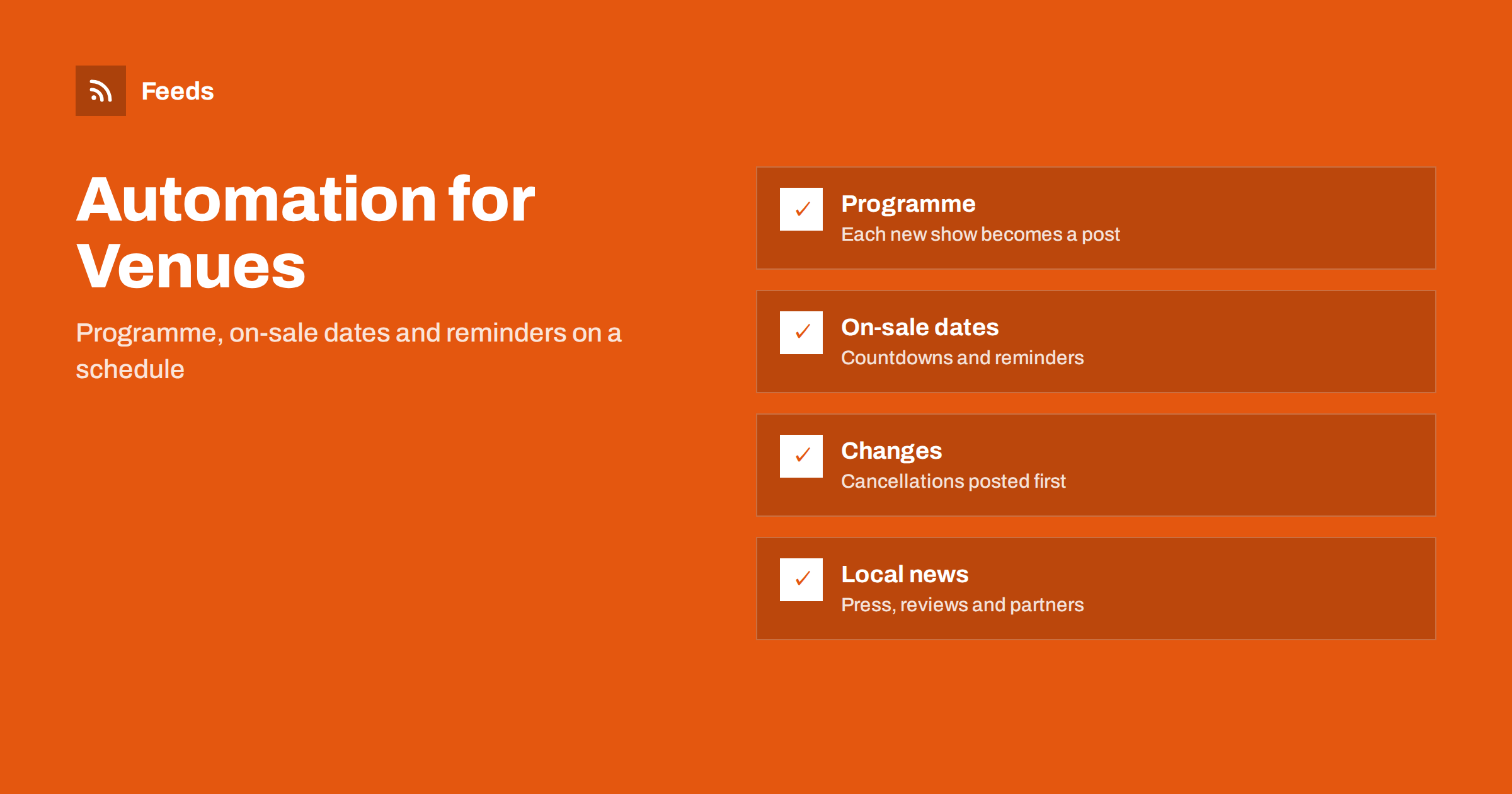
Short answer: A theatre, cinema or live venue has a constant flow of news that is already written down: a programme, on-sale dates, cast announcements, age ratings, accessibility information and last-minute changes. Content automation turns the pages and calendars where this lives into feeds, then posts from those feeds to social media and a newsletter on a calm schedule: an announcement, a reminder before tickets go on sale, a last call and a notice if something changes. A person still sets the voice and approves anything that affects a ticket holder.
Why venues fall behind on communication
A venue is a small business with an enormous amount to say. A cinema changes its programme every week. A theatre may have a dozen productions in a season, each with its own on-sale date, preview nights, relaxed performances and talks. A live music venue announces acts months ahead and then reminds people as the date approaches. All this information is already in the ticketing system and on the website. The problem is that moving it into posts, emails and listings by hand takes hours, and those hours are the first to be lost when the box office is busy.
The result is predictable. Announcements go out late, reminders are missed, and the audience learns about a show from a friend rather than from the venue. Automation does not make the programme better, but it ensures that what is already decided reaches people at the right time. If you want a wider look at events, read content automation for event organizers and promoting an event calendar automatically.
Sources a venue already has
Start by listing where information first appears. Few venues need new sources; they need to connect existing ones.
- The programme or what’s-on page. The most important source. Every new listing is an announcement waiting to happen.
- The events calendar. Dates and times for reminders, as in creating an event calendar RSS feed.
- The news or blog page. Cast announcements, interviews, behind-the-scenes posts and seasonal updates.
- Partner and touring-company pages. Producers, distributors and visiting companies often publish information before you do.
- Local news and review sites. Coverage and reviews, which are worth sharing with permission and credit; the approach is in local news monitoring with RSS.
Where a page has no feed, a page-to-feed tool can read the listings and create one. Merge related sources, such as the film programme and the special events page, so that one stream feeds one set of posts.
The announcement, the reminder and the last call
Most of a venue’s value is in a simple sequence. When a show or film is added to the programme, post an announcement. When tickets go on sale, post a reminder; a week before the date, post another; and on the day, post a last call if seats remain. That is four posts per production, and if the venue has forty productions a season, it is a hundred and sixty posts. Written by hand, that is a burden. Built from feed items and a template, it is a few minutes of setup and some review.
Keep each post different. The announcement says what and when. The reminder adds something new: a quote, a cast member, a detail about the venue. The last call is short and plain. Templates with a few variable parts, such as title, date, time and link, are described in post templates for automated social feeds. Add a person to the loop for anything that includes a price, a sold-out claim or an age restriction, since mistakes there are costly.
Dates, time zones and accuracy
An event post with the wrong date is worse than no post. Make sure that the date and time come from the source itself and not from the title text. If the page shows a time in local time and the feed stores it differently, the post can be an hour or a day out; the reasons are covered in RSS dates and time zones. Note too that the publication date of a feed item is the date the announcement was published, not the date of the show, so build reminders from the event date field and not from the item date.
Keep a short list of things that must be checked manually: a change of venue, a changed start time, a cancelled performance, a postponed date. These should never rely on a scheduled post, and a person should write them. The monitoring side, which alerts staff when the programme page changes, is more useful for this than the posting side.
Cancellations, changes and the pause button
The most important automation is the one that stops. If a performance is cancelled or a venue is closed for an emergency, scheduled reminders that are still in the queue become embarrassing or harmful. Decide in advance who can pause the queue, how, and how quickly, and test it. A one-page plan is described in pausing automated posting: a crisis plan.
The same applies to sensitive moments in the wider world. A cheerful countdown post on a day of local tragedy is a mistake that people remember. Having a quick way to pause all scheduled posts, and the habit of checking the queue each morning, is the best protection. Related guidance on keeping automated posts safe is in brand safety for automated posting.
Accessibility, information and reassurance
Audiences read venue posts for practical reasons as well as excitement: is there step-free access, a hearing loop, a relaxed performance, a late bar, a cloakroom? Put these details into your sources and templates so that they appear every time, rather than relying on staff to remember. A short fixed line such as “Access information and booking” with a link works well, and a returning visitor learns where to look.
Also post things that are not about selling. A short film introduction, a note on the building’s history, a profile of a stage technician, or a backstage photo gives people a reason to follow the account when no show is on sale. Plan the mix with a calendar; building a content calendar from feeds shows how feeds can fill most of it. The right frequency depends on the audience and the platform, and how often to post automatically gives starting points.
Where the posts go
The programme is visual, so image-led platforms suit it. Posters, stills and rehearsal photos work best where pictures lead; the practicalities of automating that are in posting RSS items to Instagram. A newsletter suits the full programme, with a weekly or monthly digest built from the same feed; see turning an RSS feed into an email newsletter. Hashtags help only when they are few and consistent: one for the venue and one for the production is enough, and hashtags in automated social posts explains how to keep them tidy.
Finally, keep a person responsible for the voice. A venue’s character is its main asset. Automation should deliver that voice at the right time; it should not replace it.
How RSS Feed Creator helps
RSS Feed Creator turns the programme page, events page or news list of a website into a clean RSS feed, even when the site has no feed of its own. It reads titles, images, summaries and dates, uses an existing feed when there is one, and shows a preview of the items before the feed is created. You can merge several sources into one feed (up to 10 on paid plans), keep only the items that contain your keywords and have duplicates removed automatically, which suits a venue that publishes programme, news and partner announcements in different places. Feeds refresh every 3 hours on the free plan and every 30 minutes on paid plans, and paid plans send an alert when a page changes and a feed stops finding items. The free plan allows up to 20 items per feed, and the details are on the pricing page.
Related reading
- Content Automation for Museums, Galleries and Cultural Venues
- Ticket Release and Sale Alerts with RSS
- Content Automation Checklist: Before You Switch It On
The bottom line
A venue already knows what it wants to say and when. Connect the programme, the calendar and the news page to feeds, use templates for announcement, reminder and last call, keep a human on prices, changes and cancellations and know how to pause everything quickly. The audience gets timely information and the staff get hours back.
FAQ
What should a theatre or cinema automate first?
Start with announcements and reminders for new programme listings. They follow a predictable pattern, come from a page you already maintain and save the most time. Add newsletters and partner news later.
How can I avoid posting the wrong date or time?
Build reminders from the event date field of the source and not from the publication date of the feed item. Check time zone handling once, and have a person review anything that includes prices or availability.
What happens if a performance is cancelled?
Pause the scheduled posts for that production straight away and publish a plain notice written by a person. Agree who can pause the queue before you need to, and test it.
How often should a venue post?
Often enough to be useful, rarely enough to stay welcome. For most venues, several posts a week across the main platforms is sufficient, with extra reminders close to on-sale dates and performances.
Can the same feed also feed a newsletter?
Yes. A feed of the programme can be used to build a weekly or monthly digest, so that the website, social media and email all draw on one source.