ENEnglish
 LTLietuviškai
 DEDeutsch
 FRFrançais
 RUРусский
 ESEspañol
 PLPolski
 ITItaliano
 UKУкраїнська
 CSČeština
 PTPortuguês
 JA日本語
JA日本語 LVLatviešu valoda
 ETEesti
 HUMagyar
 IDBahasa Indonesia
 TRTürkçe
 HIहिन्दी
 ELΕλληνικά
 ARالعربية
 THไทย
THไทย VITiếng Việt
 RORomână
 MSBahasa Melayu
 BNবাংলা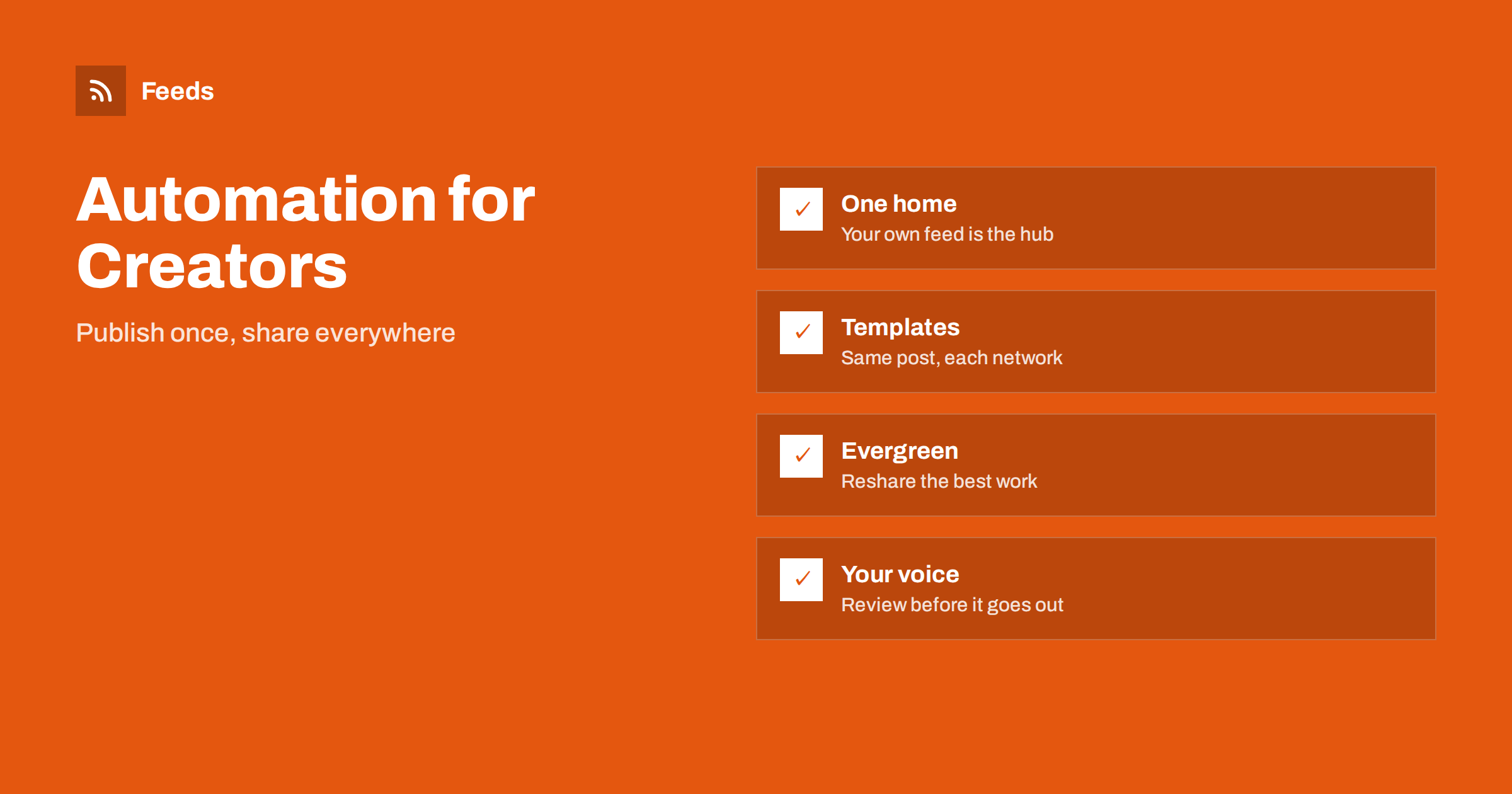
Short answer: Creators, podcasters, newsletter writers and video makers lose hours every week on distribution: copying a link, writing a caption, resizing an image and posting it in five places. The fix is to make your own site or channel the one place where you publish, let its feed announce each new piece, use short templates per network and keep a person in the loop for anything that needs your voice. Your time then goes to making things, not to moving them around.
The creator’s distribution problem
A solo creator is the writer, the editor, the producer and the marketing department. A new episode, essay or video takes a long time to make, and then the same piece has to be announced again and again. Each network has its own format, image size and habits, and each announcement takes ten to twenty minutes. Multiply that by several pieces a week and distribution can take as long as the creative work.
Automation cannot make the work for you, and it should not. What it can do is carry out the repeating steps the same way every time: notice that something new was published, build a caption from a template, attach the right image and send it to a queue or to the networks you choose. The general idea is explained in what is content automation.
Make your own site the hub
The most robust setup starts with one rule: publish first on a place that you own, and let that place produce a feed. A blog, a podcast host or a video channel all provide a feed with the latest items. Everything else, from the social posts to the newsletter, is built from that feed. When you change a tool or a network, the hub stays the same and you only reconnect the output.
If you publish a podcast, your feed is already the centre of the system, and the way episodes reach every app is explained in podcast RSS feeds explained. If you publish videos, a channel has a feed as well, and sharing new uploads is covered in how to auto-share new YouTube videos using the channel feed. For written work, the post is the starting point, and turning an RSS feed into an automatic email newsletter shows how the same feed can feed a mailing list.
Templates that sound like you
The fear of many creators is that automated posts will look robotic. The answer is a good template. Write two or three versions of a short caption per network, in your own style, with placeholders for the title, the link and a one-line hook. Use the first sentence of the article or the episode description as the hook, or add a short line of your own in the summary field that the feed carries. Examples and rules for building templates are in writing post templates for automated social media feeds.
Test each template on a real post before you rely on it, and read the result on a phone, since that is where most people will see it. Think about what each network needs. A text network may want the hook and the link, a visual network needs a strong image, and a professional network may reward a slightly longer note. Keep hashtags few and relevant, and avoid posting the same text on every network word for word.
Episodes, videos and essays
Each kind of content has its own pattern. A new podcast episode can be announced with the number, the title, the guest and a link, as described in how to promote new podcast episodes automatically. A video can be shared with its thumbnail and a short question. An essay or a newsletter issue works best with a quote from the text and the link. In every case the announcement should be short, and the real value sits behind the link. Add a clear reason to click, such as the question the episode answers or the problem the guide solves, and keep the same structure from week to week so that regular followers recognize it quickly.
Plan for the extras that make the content easier to find. Show notes for a podcast, for example, are read in several apps and need clean formatting, as explained in podcast show notes in RSS: formatting that works in apps. A clear title and a good image decide whether the announcement is noticed.
Reuse your best work
Most creators have a back catalog that almost nobody sees. A guide you wrote two years ago, an interview that is still relevant or a tutorial that still works can be shared again to new followers. Pick a small set of evergreen pieces, schedule them at a slow, regular pace and update their captions when needed. The rules for doing this without becoming repetitive are in how to reshare evergreen content automatically.
Do not reshare anything that is out of date or that you no longer stand behind. Review the list every few months, remove old items and add new favourites.
Keep control: approval and pauses
Creators build trust with a personal voice, so a mistake in an automatic post hurts more than it would for a large company. Use an approval step for the first weeks, so that you see exactly what goes out and can fix the template. After that, keep approval for posts that mention other people, sponsors, news events or anything sensitive. The trade-off is discussed in full auto versus an approval queue.
Also decide in advance when to stop. During a personal event, a public tragedy or a holiday, a scheduled post can feel wrong. Know how to pause everything quickly, and the plan in when to pause automated posting: a crisis and holiday plan can be adapted for a solo creator. If you work with sponsors, add the required disclosure to the template so that it is never forgotten.
A simple weekly workflow
A workable routine fits into one hour a week. On the day you publish, check that the feed contains the new item with the right title, image and summary, because everything downstream depends on them. Once a week, open the queue and look at the posts planned for the next days: fix a caption, delete what no longer fits and add a personal line to the one or two that matter most. Once a month, review the numbers, retire weak templates and pick new evergreen pieces to reshare.
Keep a short document with your rules: the tone of voice, the words you never use, the sponsor disclosure, the hashtags for each network and the images you prefer. When you hire a helper or change a tool, that document keeps the style consistent. Back up your templates and your list of connections, so that a broken account or a changed password does not stop the whole system for days.
Measure what helps
Automation is useful only when it brings people to your work. Add a tracking tag to links in your posts, as shown in how to track traffic from automated posts with UTM tags, and look once a month at which networks and formats bring readers or listeners. Stop posting where nothing happens, and spend that time on the places that respond. Resist the urge to be everywhere. Two networks done well beat six done badly.
How RSS Feed Creator helps
Many creators publish in places without a usable feed, such as a news page, a portfolio or a site made with a simple builder. RSS Feed Creator turns the article list of such a page into a clean RSS feed with titles, images, summaries and dates, and uses an existing feed when the page has one. You see a preview of the items first. You can also merge several sources into one feed (up to 10 on paid plans), so that a blog, a video channel and a store appear in one stream, and keep only the items that contain your keywords. The free plan allows up to 20 items per feed, and the details are on the pricing page.
Related reading
- How to automate social media posts from an RSS feed
- Content automation checklist: 30 checks before you go live
- Can you automate Instagram posts from an RSS feed?
The bottom line
Creators do not need to post by hand everywhere. Publish on a place you own, let its feed announce each new piece, build captions from templates in your own voice, reshare your best evergreen work and review what goes out. Track what brings readers, drop what does not, and keep a pause button within reach. The result is steady distribution with more time for the work itself.
FAQ
Will automated posts make me look less authentic?
Not if the templates are written in your own style and you review them at the start. Automation handles timing and formatting, while the voice stays yours.
Where should a creator publish first?
On a place you own or control, such as your own site or podcast host. It produces a feed, and everything else is built from that feed, so you can change networks without losing your system.
How often should I reshare old content?
Slowly and regularly, for example once or twice a week, using only pieces that are still correct. Update the caption each time and review the list every few months.
Do I need a different post for each network?
Yes, at least a different caption and image size. Use short templates per network and avoid posting identical text everywhere.
Can I automate sponsored content?
Be careful. Sponsored posts need the right disclosure and often the sponsor’s approval, so keep them in an approval queue and put the required wording into the template.