ENEnglish
 LTLietuviškai
 DEDeutsch
 FRFrançais
 RUРусский
 ESEspañol
 PLPolski
 ITItaliano
 UKУкраїнська
 CSČeština
 PTPortuguês
 JA日本語
JA日本語 LVLatviešu valoda
 ETEesti
 HUMagyar
 IDBahasa Indonesia
 TRTürkçe
 HIहिन्दी
 ELΕλληνικά
 ARالعربية
 THไทย
THไทย VITiếng Việt
 RORomână
 MSBahasa Melayu
 BNবাংলা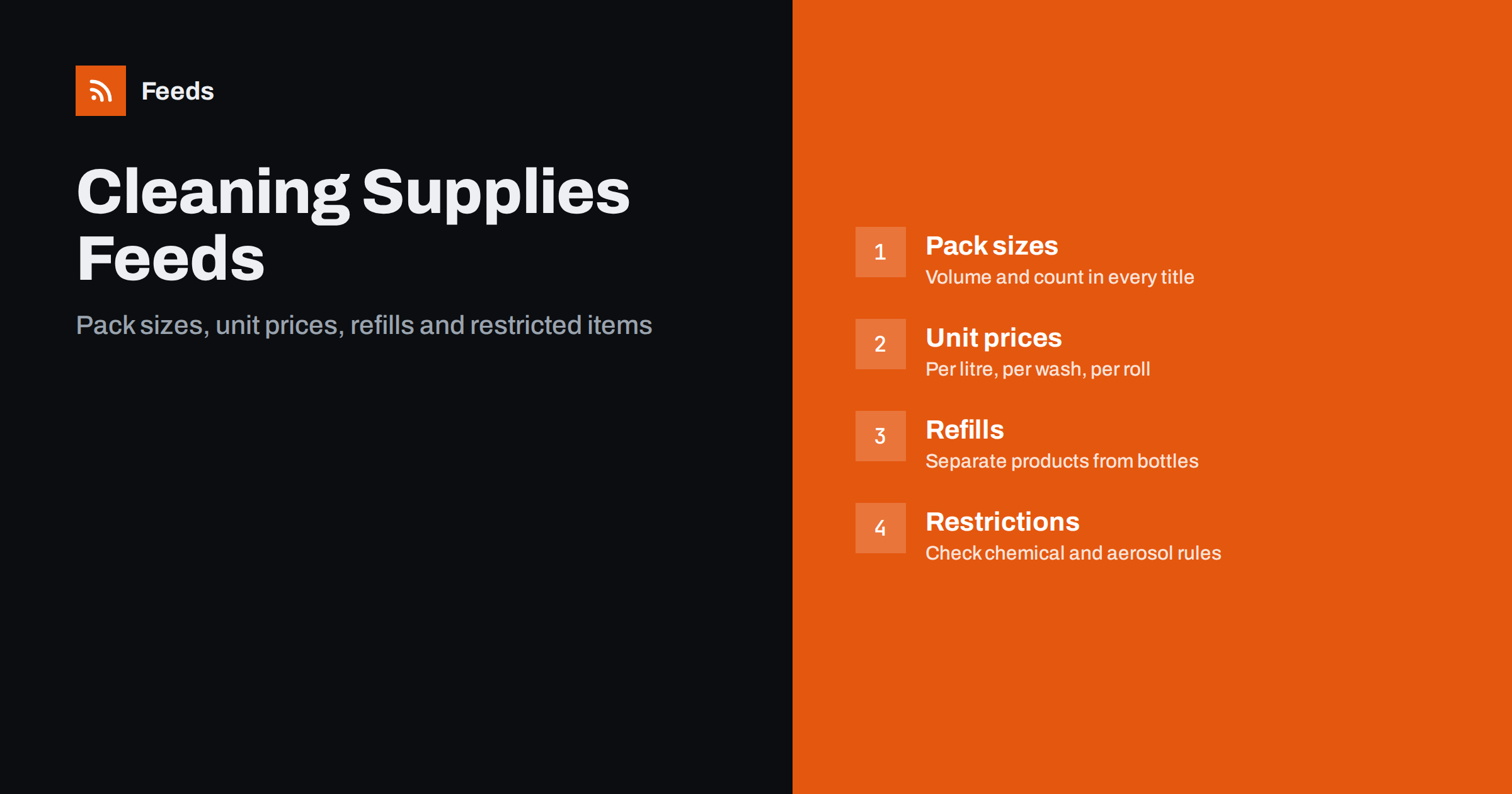
Short answer: Cleaning and household goods are low-price, high-volume products where the pack size is the whole story. A feed that works states the volume or count in every title, uses multipack and unit pricing attributes where they apply, keeps refills and bottles as separate products with their own identifiers, writes descriptions that list ingredients and uses only as the manufacturer states them and checks the platform rules for aerosols, chemicals and other restricted items before including them. Shipping and stock need to match the shop, since orders are often repeated and customers notice errors quickly.
Why this category rewards precision
A bottle of washing-up liquid costs a few euros, and the shopper compares it with six others at a glance. The deciding facts are small: how many millilitres, how many washes, whether it comes as a refill, whether it is a pack of three. A feed that leaves these out puts your product next to ones that include them, and loses on the comparison even if the price is better.
The category is also prone to near-duplicates. The same product comes in different sizes, scents and pack counts, and manufacturers change formulas and packaging often. The feed has to keep each version separate and current. Before looking at the details, check the basics with the product feed checklist and the list in Google product feed attributes.
Pack sizes in titles and attributes
Put the quantity into the title in a fixed position: brand, product, variant or scent, then size or count. “Brand Name Dishwasher Tablets, Lemon, 60 Count” says more than “Dishwasher tablets”. For liquids use the volume with its unit, for rolls and sheets the count and the sheet size, for sponges and cloths the number in the pack. Keep the unit the same as on the pack, so that the title matches the label.
Use the multipack attribute when a listing is a pack of identical items, and make sure that the price covers the whole pack. If you sell both a single bottle and a case of six, make them separate products with separate identifiers, not variants of one. A customer who orders one bottle and receives six, or the reverse, is a returns problem and a review problem. The detail is in bundles and multipacks in product feeds.
Unit prices
For goods sold by volume, weight, length or count, shoppers compare unit prices, and in some markets showing them is expected or required. Provide the measure of the whole pack and the base measure you want to show, for example the price per litre or per hundred sheets, following the rules for each country you sell to. Using the wrong unit leads to confusing prices, such as a price per millilitre that looks tiny and means nothing. The attributes and the checks are described in unit pricing in product feeds.
Be consistent across your catalogue. If one brand’s detergent shows a price per litre and another’s a price per wash, buyers cannot compare them. Choose the unit most commonly used in your market and apply it to the whole group of products. And always check that the number in the feed equals the number on the page.
Refills, concentrates and variants
Refills and concentrates are common in this category and cause many errors. A refill pouch is not a bottle, and a concentrate is not a ready-to-use spray, even if the brand and name are the same. Each needs its own row, its own identifier and a title that says what it is: “Refill Pouch” or “Concentrate, makes 10 litres”. State the dilution or the number of uses only as the manufacturer does.
Scents, colours and sizes of the same product belong together as variants with a shared group identifier, but only where they truly are variants of one item. The grouping is explained in product variants in feeds. If a manufacturer changes a pack design, keep the same identifier only if the barcode is the same; a new barcode means a new product.
Descriptions, claims and ingredients
Describe the product in plain terms: what it cleans, on which surfaces, how it is used, what is in the box and what the pack size is. Include ingredients or safety information where the manufacturer provides them and where local rules call for it. Avoid claims you cannot support, such as “kills 100% of germs”, “chemical free” or “eco-friendly” without a basis. Environmental and health claims are watched closely by regulators and platforms, and a descriptive phrase taken from the label is safer than a stronger one of your own.
Product pages must show the same facts as the feed. A mismatch in price, size or availability is a common cause of warnings; read Merchant Center misrepresentation for the kinds of issues that lead to account-level problems. For text patterns that work, see product feed descriptions.
Restricted and regulated items
Not everything in a cleaning aisle can be advertised or shipped everywhere. Aerosols, certain solvents, corrosive products, pesticides and disinfectants may be limited by platform policy, by carriers or by national law. Rules differ by country and change over time, so read the current policies of each platform and carrier for the markets you serve, and keep a list of products that must be excluded or labelled differently.
When in doubt, exclude the item from the feed rather than risk a warning for the account. If a product is rejected, the diagnostics will give the reason, and the guidance in disapproved products in Merchant Center helps you interpret it. Shipping restrictions also belong in the setup: do not offer delivery of a restricted item to a country where you cannot send it.
Shipping, weight and repeat orders
Liquids are heavy, and a basket of cleaning products can be expensive to ship. Provide the weight of each item, and make sure the shipping costs that the platform sees match what the customer pays at checkout. Free-shipping thresholds are popular in this category and are best handled with a clear rule that shows up the same way in the feed and on the site; the choices are laid out in shipping in product feeds.
Many shoppers reorder the same products every month or two. They value a stable listing with the same title, identifier and image each time, and a stock level they can trust. Do not change identifiers without a reason, and mark sold-out items promptly, as explained in out-of-stock products in your feed. If you sell to businesses, such as offices and cleaning companies, the points in B2B and wholesale product feeds cover case sizes and trade quantities.
Images, packaging and seasonal stock
Show the pack as it will arrive: the front of the bottle or box on a plain background, with the size readable. Avoid lifestyle photos as the main image, since they hide the product and the quantity, and avoid watermarks or promotional text. If the packaging changes, update the image at the same time as the title, because customers compare the picture with what they receive. The rules are in product feed image requirements.
Demand in this category follows the calendar: spring cleaning, garden and patio products in early summer, descaling and de-icing in winter, laundry and travel sizes before holidays. Review the best-selling products a few weeks before each peak, remove discontinued lines and check that the pack sizes people ask for most are in stock. A fresh feed before the rush is worth more than a perfect one after it.
How RSS Feed Creator helps
RSS Feed Creator builds Google Merchant Center and Meta catalog XML straight from your store. WooCommerce and Shopify are read automatically, and any other store can use a CSV link. You can skip out-of-stock products, which keeps sold-out refills and seasonal stock out of the feed, rewrite titles with rules so that the brand, product, scent and pack size appear in the same order every time, and adjust prices. The currency is detected automatically. Before you submit anything, check the preview and the Merchant Center diagnostics to confirm that sizes and variants arrive as you expect. The free plan includes product feeds with up to 50 products, and the Store plan covers one store with 3 product feeds and up to 2,000 products. The details are on the pricing page.
Related reading
- Product Feeds for Grocery and Food Stores: A Practical Guide
- Product Feeds for Pet Supplies Stores: What to Include
- 12 Product Feed Mistakes That Quietly Cost You Sales
The bottom line
A cleaning and household feed wins on small facts. Put the pack size in every title, use multipack and unit price attributes correctly, keep refills and bottles apart, describe products as the label does, check restricted items and keep shipping and stock aligned with the shop. The reward is repeat orders from people who trust your listings.
SSS
Where should I put the size of a cleaning product?
At the end of the title after the brand, product and variant, for example 60 count or 750 ml, and in the multipack or measure attributes where they apply. Keep the units the same as on the pack.
Should a refill be a variant of the bottle?
No. A refill pouch and a bottle are different products with different barcodes and prices. List each as its own product, and name it clearly in the title.
Do I need unit prices for household goods?
In some countries, yes, for products sold by volume, weight, length or count. Check the requirements for each market you sell to, and use the same unit across similar products.
Can I advertise aerosols and strong chemicals?
Platform and carrier rules vary and change. Read the current policies for each market before including such items, and exclude anything you cannot advertise or ship to a country.
What claims should I avoid in descriptions?
Avoid absolute or unsupported claims such as killing every germ, being chemical free or being environmentally friendly without proof. Use the wording the manufacturer gives on the label.