ENEnglish
 LTLietuviškai
 DEDeutsch
 FRFrançais
 RUРусский
 ESEspañol
 PLPolski
 ITItaliano
 UKУкраїнська
 CSČeština
 PTPortuguês
 JA日本語
JA日本語 LVLatviešu valoda
 ETEesti
 HUMagyar
 IDBahasa Indonesia
 TRTürkçe
 HIहिन्दी
 ELΕλληνικά
 ARالعربية
 THไทย
THไทย VITiếng Việt
 RORomână
 MSBahasa Melayu
 BNবাংলা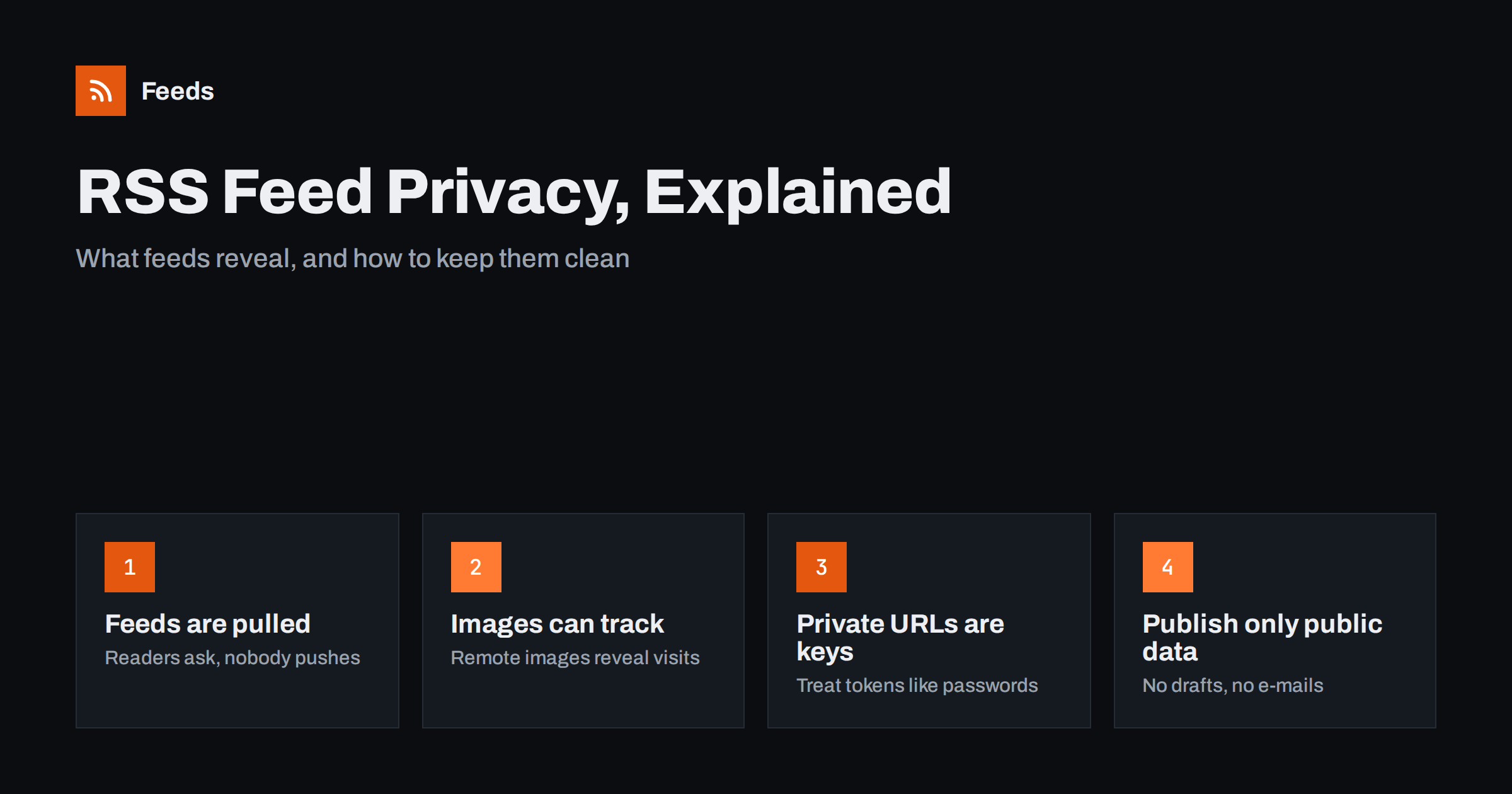
Short answer: RSS is one of the most private ways to follow a website, because the reader pulls the feed and no account, login or cookie is needed. The publisher usually sees only the feed being fetched, often by a cloud reader acting for many people at once. Privacy risks come from remote images and tracking links inside feed items, from private feed URLs that work like passwords, and from publishers accidentally putting data in a feed that was never meant to be public.
Why RSS is private by design
Following a website on social media means the platform knows what you follow, when you read and what you click. Signing up for a newsletter means handing over an e-mail address. RSS works differently. A feed is a public file at a fixed address, and a feed reader simply downloads it on a schedule. The reader does not have to identify the person, create an account on the website or accept cookies.
This pull model is the root of RSS privacy. The website does not decide who receives an update; the reader decides when to ask for it. If you stop following a site, you delete the feed from your reader and nothing is left on the publisher’s side. There is no unsubscribe link to click and no list that keeps your address.
That does not make RSS anonymous in every case. Each request still comes from somewhere, and the content inside a feed can contain elements that report back. Understanding where information can leak helps readers choose their tools and helps publishers keep their feeds clean.
What a publisher can see when a feed is fetched
When a feed is requested, the web server records the same basic data as for any page request: the time, the address of the requesting machine, the requested URL and the user agent string that names the software. What that reveals depends on who is fetching.
- Desktop and mobile readers that fetch feeds directly reveal the reader’s IP address, just like visiting the website would.
- Cloud readers fetch a feed once on behalf of all their users. The publisher sees the service’s servers, not the individual readers. Some services include a subscriber count in the user agent, which is how publishers estimate audience size.
- Self-hosted readers fetch from the server they run on, so the publisher sees that server rather than the person’s home connection.
For readers, this means a cloud or self-hosted reader adds a layer between you and every site you follow. For publishers, it means feed statistics are estimates. Our guide on how to measure RSS feed subscribers and readership explains how to read those numbers without tracking individuals. If you want full control over where requests come from, see the overview of self-hosted RSS readers such as FreshRSS and Miniflux.
Tracking pixels, remote images and links
The biggest privacy question in RSS is not the feed request but what happens when an item is displayed. Many feeds include full HTML content with images. If those images are loaded from the publisher’s server or a third-party server at the moment you open the item, that server learns that someone opened it, when, and from which address.
A tracking pixel is the extreme case: a tiny, invisible image whose only purpose is to record that an item was viewed. They are common in e-mail newsletters and sometimes appear in feeds, especially when a newsletter platform also publishes the same content as RSS.
- Remote images reveal views at the time of reading, unless the reader caches or proxies them.
- Tracking pixels exist only to report views and add nothing for the reader.
- Redirect links send clicks through a tracking domain before reaching the article.
- Embedded media such as video players can load scripts from other companies when displayed in a web-based reader.
Many readers handle this well. Some fetch and cache images on their own servers, some offer an option to block remote content, and some strip known tracking elements. When you compare readers, image handling is worth checking alongside the usual features; our guide on how to choose an RSS reader lists what else matters.
Private feeds and secret URLs
Not every feed is public. Paid newsletters, members-only podcasts, project management tools and some business systems offer personal feed URLs that contain a long token. Anyone who has that URL can read the feed, because feed readers cannot handle interactive logins.
That makes a private feed URL equivalent to a password. A few habits keep it safe:
- Do not paste private feed URLs into public tools, shared documents or support forums.
- Prefer a reader you trust with the URL, because a cloud reader stores it on its servers.
- If a private feed URL leaks, regenerate it in the service that issued it, if that option exists.
- For team use, give each person their own URL where possible, so one leak does not expose everyone.
Publishers who offer private feeds should make tokens long and random, allow users to reset them and avoid putting personal data in the feed itself. For the wider question of feeds behind logins, see can you get an RSS feed from pages behind a login.
Publisher mistakes that leak data
Most feed privacy problems are caused by the publisher, not the reader. A feed is generated automatically from a content system, and anything the system treats as published can end up in it. Common examples include:
- Author e-mail addresses in the author field. RSS 2.0 expects an e-mail in the
authorelement, which is why many systems use the name-onlydc:creatorinstead. - Unlisted or test posts that are hidden from the menu but still published, so they appear in the feed.
- Internal comments or notes in post content that were meant for editors.
- Comment feeds that expose commenters’ names and text more widely than the page itself.
- Staging or preview feeds that are publicly reachable and indexed.
Remember that a feed is copied. Readers, aggregators and archives keep items after you edit or delete the original post. Removing something from your site does not reliably remove it from every place that already fetched the feed, so it is better to keep private information out of feeds from the start.
How to run a privacy-friendly feed
A clean feed respects readers and is also easier to maintain. A short checklist for publishers:
| Area | Privacy-friendly choice |
|---|---|
| Author | Name only, no e-mail address |
| Images | Real content images only, no tracking pixels |
| Links | Direct links to articles; simple campaign tags if you need analytics |
| Content | Only posts that are meant to be public |
| Comment feeds | Enabled only if you really want comments syndicated |
| Statistics | Aggregate counts from logs or reader user agents |
Campaign tags on links tell your analytics that a visit came from the feed without identifying the person, which is usually enough to judge whether the feed is worth maintaining. If you need more detail, measure at the level of the article page, where your normal consent rules already apply.
Privacy when you create feeds from other websites
Feed generators that turn web pages into RSS add another party to the chain. The generator fetches the source page, builds the feed and serves it to your reader. In that setup the source website sees the generator’s requests, not yours, which is one more reason RSS is a private way to follow sites. It is still good practice to follow only public pages and to respect the source’s terms; our article on whether it is legal to create RSS feeds from other websites covers the main questions.
How RSS Feed Creator helps
RSS Feed Creator (Feeds) reads public pages from the outside, like a visitor, and turns them into clean RSS feeds with titles, images, summaries and dates. It needs no plugins, code or access on the source website, and it uses a site’s existing feed when there is one. You see a preview of the items before anything is created, can keep or drop items by keywords, and the finished feed works in any RSS reader, including self-hosted ones. You can create a feed on the free plan.
Related reading
- How to stop scrapers republishing your RSS feed content
- Private podcast feeds: how members-only RSS works
- How to track traffic from automated posts with UTM tags
The bottom line
RSS is private by design because readers pull public files without accounts or cookies. The real risks sit inside the content and around private URLs: remote images and tracking pixels can report views, secret feed links work like passwords and careless publishers can leak e-mails or hidden posts. Choose a reader that handles images sensibly, guard private feed URLs and publish only what is meant to be public.
SSS
Can a website see who reads its RSS feed?
Usually not individually. Cloud and self-hosted readers fetch the feed from their own servers, so the website sees the service, not the person. Desktop and mobile readers that fetch directly reveal the reader’s IP address, as a normal visit would.
Do RSS feeds use cookies?
Feed readers normally do not send website cookies when fetching a feed, and no account is needed. Tracking can still happen through remote images or redirect links inside items, depending on how the reader displays content.
Is it safe to add a private feed URL to a cloud reader?
It is as safe as trusting that service with a password, because the URL gives access to the feed. Use a reader you trust, never share the URL publicly and reset it in the issuing service if it leaks.
Should I put my e-mail address in my feed’s author field?
It is better not to. Use a name-only author field such as dc:creator, because feeds are copied widely and e-mail addresses in them are easy to harvest.
Are tracking pixels common in RSS feeds?
They are less common than in e-mail newsletters, but they do appear, especially when a newsletter platform also publishes a feed. Readers that proxy or block remote images reduce what such pixels can record.