ENEnglish
 LTLietuviškai
 DEDeutsch
 FRFrançais
 RUРусский
 ESEspañol
 PLPolski
 ITItaliano
 UKУкраїнська
 CSČeština
 PTPortuguês
 JA日本語
 LVLatviešu valoda
 ETEesti
 HUMagyar
 IDBahasa Indonesia
 TRTürkçe
 HIहिन्दी
 ELΕλληνικά
 ARالعربية
 THไทย
 VITiếng Việt
 RORomână
 MSBahasa Melayu
 BNবাংলা
Short answer: Every feed made with RSS Feed Creator has two addresses. The feed address ends in .xml and can be read by anyone who has it, but it is not listed or indexed anywhere. The management address is private: whoever holds it can change or delete the feed, so keep it to yourself, or keep your feeds in a free account so that you do not need it. The home page shows a short list of recently created feeds, but only the domain of the source, the number of items and the age, never the addresses of the feeds.
The two addresses of every feed
Right after you create a feed, you land on its management page. Two long addresses matter from that moment on, and mixing them up is the main privacy mistake people make.
- The feed address has the form /f/ followed by a code of 26 characters and .xml. It is the address you give to readers, posting tools, automation tools, Google Merchant Center and Meta. It is meant to be shared with the services that need it.
- The management address has the form /manage/ followed by a code of 32 characters. It opens the page where you can rename the feed, change the keyword filters or product rules, add or remove sources, and delete the feed. It is meant for you only.
The codes are long strings that cannot be found by chance, but neither is a password. Think of the feed address as a link that anyone who has it can open, and of the management address as a key to the feed’s settings. Give out the first as freely as the job requires, and keep the second to yourself.
Who can read a feed
Anyone who has the feed address can read the feed. There is no login in front of it, because readers, shopping channels and automation tools must be able to fetch it without signing in. At the same time the file is not advertised. It is sent with a header that tells search engines not to index it, and the application part of the tool asks crawlers to stay away. So the feed does not appear in search results, and a person finds it only if you or a service you use shares the address.
What the feed contains is public information to begin with. The tool reads public pages and public product data, as a visitor would, and turns them into titles, links, pictures, dates and short texts. It cannot read pages behind a login, and it does not try to. If you give the feed address to a service, for example a reader or a posting tool, that service can read it, and you should treat that as you would any link you hand over. The difference between your feed and the source is that your feed is filtered, merged or cleaned the way you set it up.
Who can change a feed
Only someone with the management address, or someone signed in to the account that owns the feed. This is the important limit. The page behind that address lets a person change what the feed contains and even delete it, which stops the feed address for good. For that reason a feed created without an account shows a clear notice right after creation: save the address of that page, because it is the only way to edit the feed later.
The practical rules follow from this:
- Do not paste the management address into a public place, such as a forum post, a shared document with open access or a screenshot you post online.
- If you work with a client, send them the feed address and keep the management address, unless you want them to edit the feed.
- If you lose the management address of a feed made without an account, you cannot edit that feed any more. Create a new one, and update the places that used the old address.
A free account removes most of this worry. It keeps all your feeds in one list, so you can open any of them from your account without storing any links by hand. You can sign in with an e-mail address or with Google, Facebook, Apple or Yahoo. If you made feeds in the same browser before you signed in, they are attached to your account when you do. The first steps, from the address box to a working feed link, are in RSS Feed Creator walkthrough: from a web address to a feed.
What the home page list shows
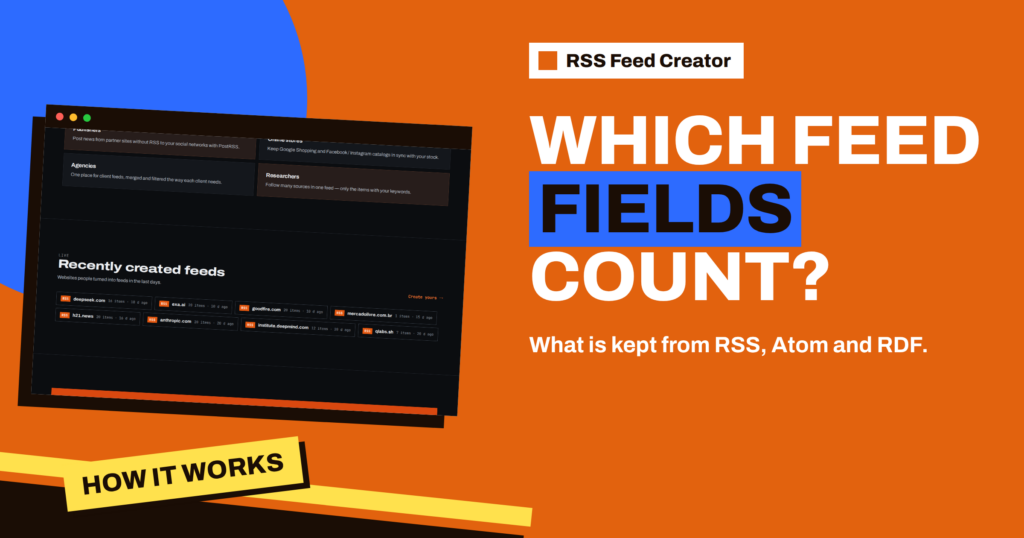
On the home page of RSS Feed Creator there is a block called “Recently created feeds”. It shows websites that people turned into feeds in the last days, each with its type, the number of items and how long ago the feed was created. This is how the page proves that the tool is in use, and it is worth knowing exactly what it contains.
| Shown in the list | Not shown in the list |
|---|---|
| The domain of the source, such as blog.example.com | The address of the feed |
| The type of feed, for example RSS | The management address |
| The number of items found | Your name, e-mail address or account |
| How long ago it was created | Your settings, filters or rules |
Only feeds that actually found items are listed, each domain appears once, and the block shows the latest handful, so a domain stays visible for a short time. If you make a feed from a website you would prefer not to see named on a public page, for example a competitor or a client you are researching, keep in mind that its domain may appear there for a while. If this matters to you, write to the support address shown in the FAQ section of the site before you create the feed.
What the source website sees
Privacy has another side: the website you read. RSS Feed Creator visits it openly. The request carries the name FeedsBot and a link to a page about the bot, so the site owner can see who is visiting and can block the visitor if they wish. The tool does not pretend to be a browser, does not log in anywhere and does not change anything on the site. The source never learns who made the feed or what you do with it; it only sees an ordinary request from the tool. The main point is that the visit is transparent.
From the other direction, a site owner who looks at their log sees requests every few hours at most, and only if somebody reads the feed. They do not see your keywords, your other sources or your readers.
Sharing feeds with a team or with clients
Agencies and teams often make many feeds. The safest pattern uses one account for the work and hands out only the feed addresses. Clients get the address of their feed to paste into their reader or tool. The agency keeps the account and can open every feed from one list, change filters when a client asks and delete a feed when a project ends. The setup is described in run client feeds from one RSS Feed Creator account.
When the roles are the other way round, for example a colleague who needs to edit a feed, give them the management address deliberately and once, and remember that this is full control. For ordinary reading, the feed address is enough. When someone leaves a team, check which feeds they could edit, and if the management address was shared widely, make a new feed and retire the old one.
Deleting a feed
Deleting is permanent and public in effect. After the confirmation, the feed address stops working, which means every reader, tool or channel that used it stops receiving items. If you only want to stop a service from reading the feed, remove the address in that service. If you want the feed gone for everyone, delete it on the management page. And if you want to keep the feed but change what it contains, change the settings instead, which does not alter the address.
Plans and limits do not change any of this. The free plan and the paid plans treat addresses and privacy the same way, and the plans differ in size, refresh and the number of feeds, as listed on the pricing page.
A privacy checklist
- Share the feed address only with services that need it.
- Keep the management address private, or use a free account and forget the address.
- Do not publish either address in public posts or screenshots.
- Remember that the domain of a source may appear in the recent list.
- Delete feeds you no longer need and update any service that used them.
Related reading
- RSS Feed Privacy: What Readers and Publishers Should Know
- Is It Legal to Create RSS Feeds from Other Websites?
- Merge Sources in RSS Feed Creator: Up to 10 in One Feed
The bottom line
A feed has a public address for readers and a private address for you. The feed is readable by anyone who has its link but is not listed or indexed, the management address is a key to keep safe, and the recent list on the home page shows only domains, counts and ages. Use a free account and you do not need to remember any of it.
SSS
Can a stranger find my feed?
Not through search. The feed is marked not to be indexed and its address is not listed. Someone can read it only if they receive the address.
What happens if I lose the management address?
For a feed made without an account you can no longer edit it. Create a new feed and update the places that used the old address. Feeds in an account are always reachable from the account.
Does the Recently created list show my feed address?
No. It shows the source domain, the type, the number of items and the age, nothing more.
Can the website I read see that I made a feed?
It sees requests from the tool, named FeedsBot. It does not learn who made the feed.
Does deleting a feed remove it from the home page list?
Yes. The list is built from feeds that exist, so a deleted feed no longer appears in it.