ENEnglish
 LTLietuviškai
 DEDeutsch
 FRFrançais
 RUРусский
 ESEspañol
 PLPolski
 ITItaliano
 UKУкраїнська
 CSČeština
 PTPortuguês
 JA日本語
JA日本語 LVLatviešu valoda
 ETEesti
 HUMagyar
 IDBahasa Indonesia
 TRTürkçe
 HIहिन्दी
 ELΕλληνικά
 ARالعربية
 THไทย
THไทย VITiếng Việt
 RORomână
 MSBahasa Melayu
 BNবাংলা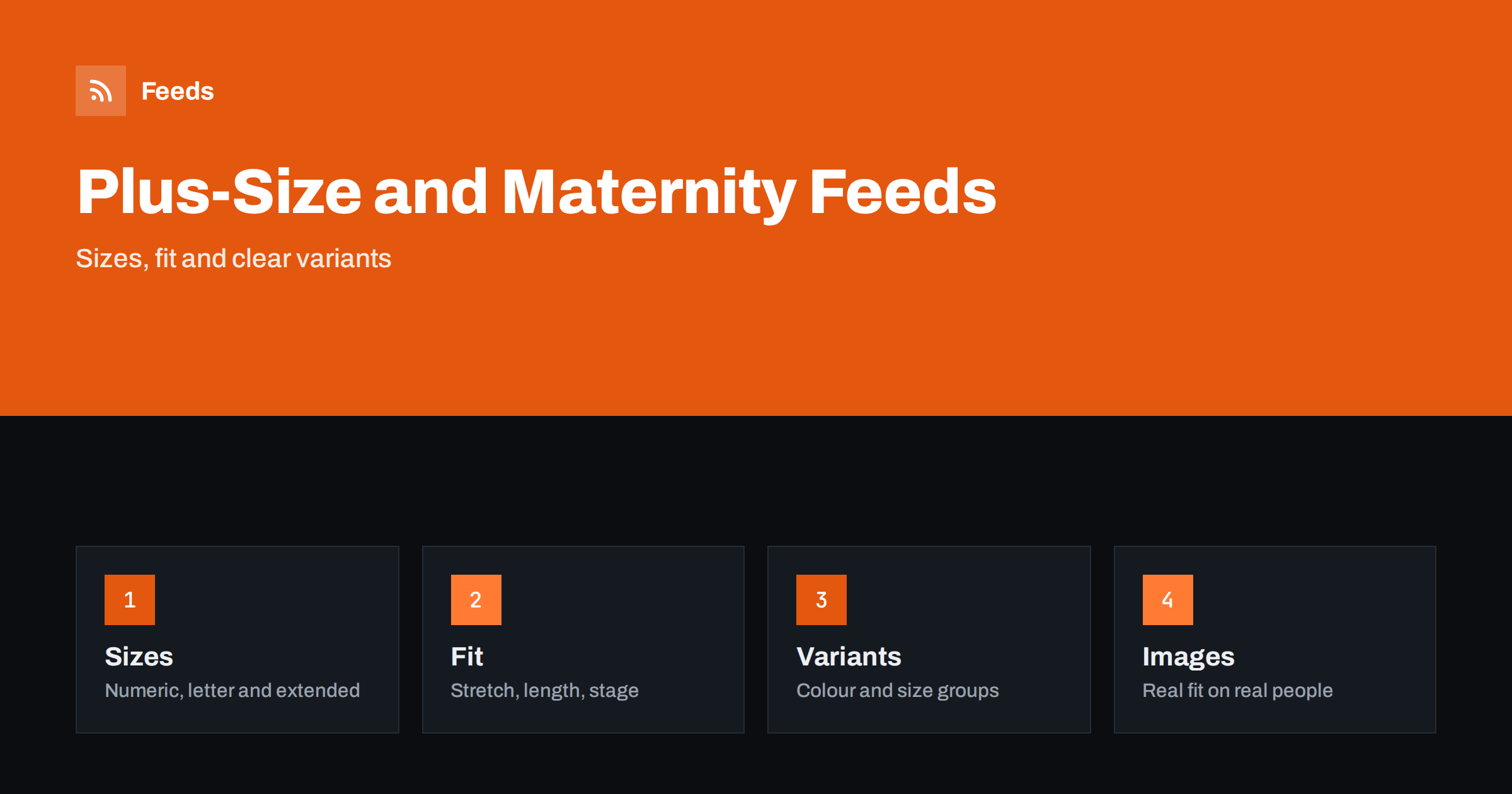
Short answer: Plus-size and maternity clothing shops live and die by size information. Shoppers need to see the exact size range, the fit and, for maternity wear, the stage of pregnancy a garment is made for. A good product feed gives every item a title that leads with brand and garment type, a complete size attribute, correct colour and gender or age fields, variants grouped under one product and a landing page that shows the same size and price. Fix these basics before adding rules or extra labels.
Why this category needs careful feeds
Most fashion feeds struggle with sizes, and extended and maternity ranges make the problem larger. A dress may come in sizes from 14 to 28, in a letter system from 1X to 5X or in a numeric system that differs by country. Shoppers who cannot find their size in the listing do not click, and shoppers who click and find it missing on the page leave quickly. Platforms also check that the size in the feed matches the page.
Maternity clothing adds the question of stage and stretch: a garment may be made for the whole pregnancy and for nursing, or only for the early months. The general rules for clothing are in apparel product feeds: color, size, gender and age group, and this category simply needs them more carefully.
Titles that lead with the product and the fit
Shoppers search by garment type and often by fit or occasion, for example “plus-size wrap dress” or “maternity jeans with belly panel”. Start the title with the brand and garment type, then add the one or two features that distinguish it: fit, length, fabric or stage. “Brand Wrap Midi Dress, Plus Size, Stretch Jersey, Navy” tells the shopper what it is. “Gorgeous Dress for Every Body” does not.
Avoid putting every size in the title. Sizes belong in the size attribute, and a title that repeats a long range makes the listing hard to read. Use the same order across the catalog so that items compare easily. More formulas and examples are in product feed title optimization.
Size attributes and size systems
Use the size attribute for every item, and keep the values as they appear on the product page. If your range uses extended sizes, write them in a consistent form such as “18”, “20”, “1X” or “2X”. Where a market expects a size system, such as US, UK or EU, send the system as well, so that the platform and the shopper read the same values. Do not mix systems inside one product.
Size types can also help: maternity, plus and regular are all recognized groupings in some platforms, and choosing the right one helps the right shoppers find the item. Check the current guidance in your account, because options and requirements change. Keep the number of sizes honest, and send only sizes you actually sell, as explained in how item_group_id works.
Variants: colours, sizes and lengths
A dress that comes in four colours and twelve sizes is one parent product with many variants. Each variant needs its own identifier, price and availability, a shared group ID and an image of the right colour. Do not create a separate product for each size, and do not list sizes in the title. If length options such as regular, petite and tall exist, treat them as a variant attribute or as separate products when the cut differs.
Keep the stock status accurate at variant level. Extended sizes often sell out faster than the middle of the range, and a listing that shows an unavailable size as in stock leads to disappointed customers and disapprovals. The rules for stock are covered in out-of-stock products in your feed.
Identifiers, brand and materials
Branded garments usually carry a GTIN for each size and colour, and you should send it. Items made for your own label may have no GTIN, and in that case the feed should carry your brand and a stable product code. Never invent a code to fill the field. A wrong identifier is worse than a missing one, because platforms compare it with their own catalog.
Material and care details matter to shoppers who look for stretch, breathability or a specific fabric. State them in plain words that match the product page, and use richer fields such as product_highlight and product_detail for facts like fabric, length and neckline. The rules for identifiers are explained in GTIN, MPN and brand: product identifiers in feeds.
Maternity-specific details
For maternity wear, say what the garment is made for: pregnancy, nursing, postpartum or all of them. Describe features such as belly panels, adjustable waistbands, wrap closures or nursing access in simple, factual language. Avoid medical claims, and do not suggest that a garment supports a health outcome. If you sell compression or support products, follow the claim rules of each market and put professional advice on the page, not in the feed.
Seasonality matters as well. Customers look for winter coats, swimwear and occasion dresses in the months before they need them, and sizes change over time, so wide ranges and clear return information help. Make sure the shipping and returns pages are easy to find, since these shoppers often order several sizes and send some back.
Images and fit information
Use clean photos of the actual product on a plain background, plus extra pictures that show the garment on real bodies in different sizes. Shoppers trust listings that show how an item fits across the range, and a picture of a size 8 model next to a size 24 garment is misleading. State the model’s size and the garment size shown in the page text. Avoid text overlays and promotional badges, as summarized in product feed image requirements.
Provide a size guide with measurements in the unit your customers use, and make sure the landing page opens the same variant the ad shows, with the same price and availability, as covered in what feed links must lead to. Fit notes such as “runs small” or “generous stretch” are useful when they are based on real returns and reviews.
Returns, sales and peak seasons
Clothing has high return rates, and clear information reduces them. Keep the return window and conditions visible on the page, and avoid claims you cannot honour. When you run sales, send the sale price and the dates correctly, as described in sale prices in product feeds. Prepare the catalog before peak weeks, using the checklist in preparing your product feed for Black Friday and peak season.
A short weekly routine keeps the catalog healthy. Look at the products that are disapproved or limited, check new arrivals for missing sizes or identifiers and compare the feed with the shop for a few popular items. Product feed health metrics lists what to watch, and a catalog with thousands of variants needs rules and checks more than manual editing.
Finally, think about how shoppers find you outside the shopping listings. Social catalogs and marketplaces accept similar feeds with small differences, and adding a product feed to a Meta catalog shows what changes. Reuse the same clean data everywhere, and keep one source of truth for sizes, so that an update in the shop reaches every channel without manual copying. This saves time and prevents the mismatches that cause disapprovals.
How RSS Feed Creator helps
RSS Feed Creator builds Google Merchant Center and Meta catalog XML straight from your store. WooCommerce and Shopify are read automatically, and any other store can use a CSV link. You can skip out-of-stock products, rewrite titles with rules so that brand, garment type and fit appear in the same order every time, and adjust prices. Before you submit anything, check the preview and the Merchant Center diagnostics to confirm that sizes, colours and stock arrive as you expect. The free plan includes product feeds with up to 50 products, and the Store plan covers one store with 3 product feeds and up to 2,000 products. The details are on the pricing page.
Related reading
- Apparel Product Feeds: Color, Size, Gender and Age Group
- Product Feeds for Children’s Clothing: Sizes by Age and Height
- Product Feeds for Shoe Stores: Sizes, Widths and Systems
The bottom line
Clean feeds for plus-size and maternity shops come from complete size attributes, tidy variants, honest identifiers, factual fit and stage information and a landing page that matches the ad. Check the preview before you submit, fix what the diagnostics report and keep size-level stock current. Accurate sizing reduces returns more than any clever title.
FAQ
Should every size be a separate product?
No. Use one parent product with a variant for each size and colour, linked by a shared group ID. Each variant needs its own price, availability and identifier.
How do I handle size systems that differ by country?
Send the size in the form shown on the page and add the size system for the market. Do not mix systems inside one product.
Can I describe maternity items as supportive for health?
Keep the feed factual: describe the design features, such as panels and adjustable waistbands. Avoid medical claims, and follow the advertising rules of each market.
What if my own label has no GTIN?
Send your brand and a stable product code, and never invent a number. Send a GTIN whenever a product has one.
How can I reduce returns through the feed?
Use accurate size values, clear fit notes, real photos across sizes and a landing page that shows the same variant as the ad. Keep size-level stock current.