ENEnglish
 LTLietuviškai
 DEDeutsch
 FRFrançais
 RUРусский
 ESEspañol
 PLPolski
 ITItaliano
 UKУкраїнська
 CSČeština
 PTPortuguês
 JA日本語
JA日本語 LVLatviešu valoda
 ETEesti
 HUMagyar
 IDBahasa Indonesia
 TRTürkçe
 HIहिन्दी
 ELΕλληνικά
 ARالعربية
 THไทย
THไทย VITiếng Việt
 RORomână
 MSBahasa Melayu
 BNবাংলা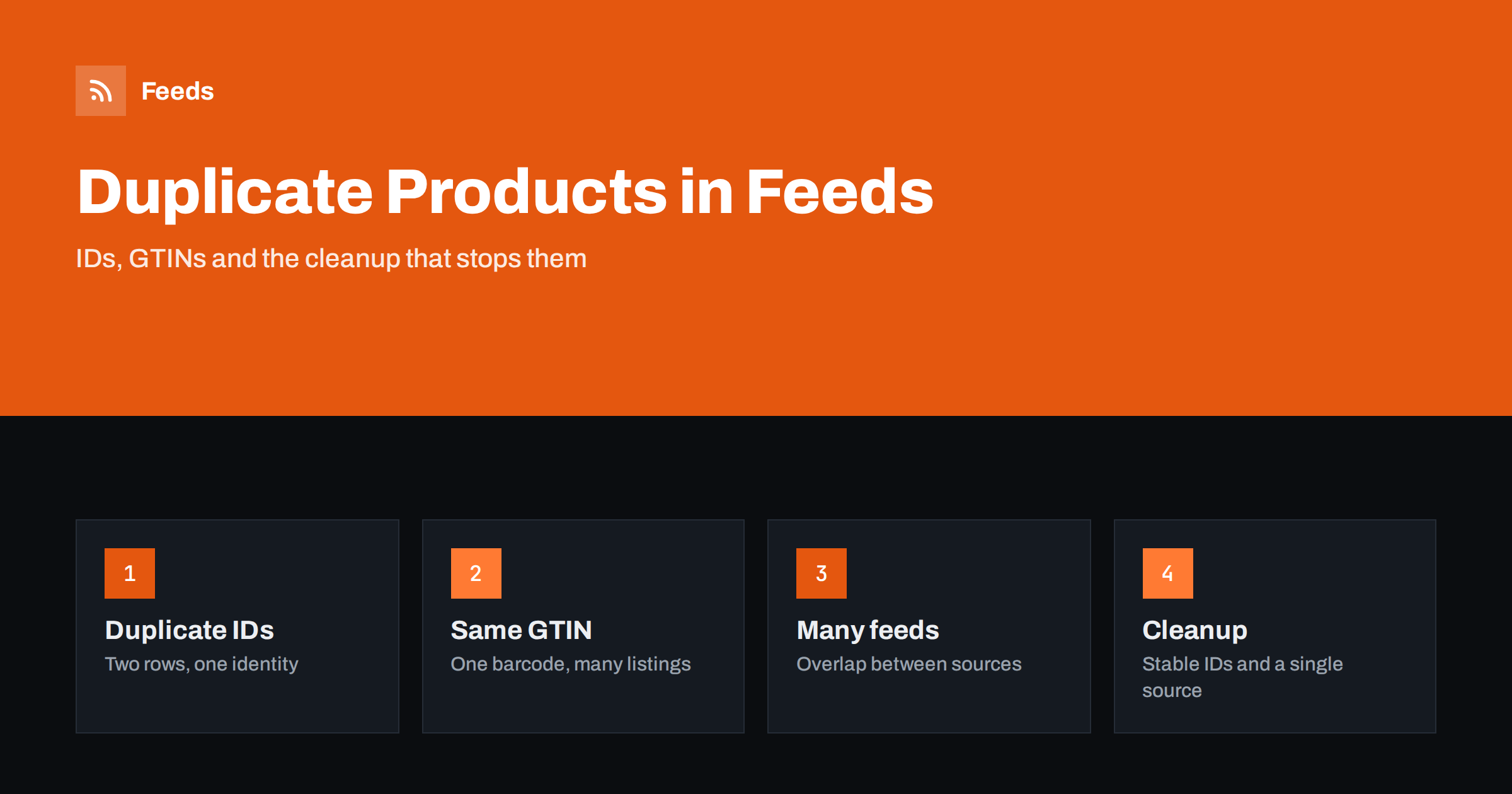
Short answer: Duplicate products in a feed usually come from three places: the same ID used for two different rows, the same product listed twice under different IDs, and the same products arriving from more than one feed. Each causes different symptoms, from warnings in Merchant Center to listings that flicker or disappear. The fix is a stable, unique ID for every sellable variant, one product page for each, identifiers that belong to the right product and a single source of truth for the catalogue.
What “duplicate” means in a product feed
The word covers several different problems, and they need different cures. A duplicate ID means that two rows claim to be the same item. A duplicate listing means that the same real-world product is in the feed twice under different IDs. A duplicate across feeds means that the same catalogue reaches the platform through two paths at once. And a duplicate identifier, usually a GTIN, means that several different items carry one barcode.
Platforms treat these cases differently, but the result for the shop is the same: less control over which version is shown, noise in diagnostics and sometimes wasted advertising spend on listings competing with each other. The first step is to find out which kind you have, so start with the diagnostics, not with the file.
Duplicate IDs: two rows, one identity
Every item in a feed needs an ID that is unique within that feed and stays the same over time. When two rows share an ID, the platform cannot know which is correct. Typically it keeps one and ignores the other, and the one it keeps may change from one fetch to the next. The visible symptom is a product whose price, image or availability changes without anyone touching the store.
Duplicate IDs often appear when the ID is built from something that is not unique. Examples include using the product name, using the parent product’s SKU for every variant, or using a row number that changes whenever the catalogue is re-sorted. The cure is to use the SKU of the specific variant, or a database ID, and never to build the ID from text that can repeat. For stores with variants, the way IDs and groups relate is explained in product variants in feeds.
The same product under different IDs
A product can be in the feed twice without sharing an ID. Common causes are products assigned to several categories that the export treats as separate rows, colour or size variants that have also been exported as standalone products, imported supplier catalogues that overlap with the shop’s own, and old products that were re-created instead of edited. The rows look different to the software, but a shopper sees the same item twice, and the pages may compete in search.
To find them, sort the feed by title, then by GTIN or MPN, and look for repeats. A spreadsheet with a pivot table is enough: count the rows per GTIN and per page address. Two rows with the same landing page address are almost always duplicates. Two rows with the same MPN and brand but different pages deserve a closer look. How the identifiers should be filled in is covered in GTIN, MPN and brand in feeds.
One GTIN on many products
A GTIN identifies one specific product, and every variant that is sold separately has its own. When a shop copies one GTIN to all sizes and colours, or fills the field with the parent product’s code, the platform sees several different items that claim to be the same one. The consequence can be disapprovals for invalid or mismatched identifiers, and it can also merge listings in comparison features, so that a customer sees the wrong size in the price list.
The cure is simple but takes care: use the real barcode of each variant, leave the field empty when there is none and state that no identifier exists where the platform requires it. Do not invent codes. If you sell bundles or multipacks, they have their own identifiers, which is covered in bundles and multipacks in product feeds.
Several feeds, one catalogue
A different source of duplicates is the setup itself. A shop may have a plugin that submits products directly, a scheduled file uploaded by hand and an app from a marketplace, all sending the same catalogue. Or one primary feed may be created for each country with identical content. When two sources send the same ID for the same country and language, one overwrites the other, and the one that wins can be the older, less accurate feed.
The healthy pattern is one primary source of products per market and, if needed, supplemental feeds that only add or correct attributes, never create new items. A supplemental feed is a good place for custom labels or a corrected title; the cases where it helps are described in supplemental feeds in Merchant Center. If you work for several clients or markets, plan the split deliberately, as in one product feed or several.
Duplicates created by the store itself
Some duplicates are born on the website. Product pages reachable through several addresses, such as a category path, a filter path and a short path, produce several links for one product. If the feed uses a different address from the canonical one, the platform sees a mismatch, and search engines may also index several versions. Make the feed link the canonical page, the one the store declares as the preferred address, and make sure that the page shows the variant that the feed row describes.
Similarly, products with tracking parameters appended to links produce what looks like many addresses for one page. Tracking should be handled in a way that leaves the base address stable, as discussed in tracking parameters in product feed links.
What duplicates cost you
Duplicates are not only untidy. When two listings for one product exist, they can compete against each other in the same auction or the same free listing results, and the statistics are split between them, so neither shows its true performance. Campaign structures that rely on product groups or custom labels may count the same product twice, which makes budgets harder to read. Customers who land on a page that does not match the listing they clicked, such as a different size or colour, leave and sometimes complain.
There is also a trust cost. Diagnostics full of warnings about identifiers and mismatches make it hard to see the real errors, and over time the team stops reading them. Cleaning duplicates first makes every later report easier to trust.
A cleanup plan
- Export the feed to a spreadsheet and add columns that count the occurrences of each ID, each GTIN and each link.
- Fix duplicate IDs first. Make each variant’s ID unique and stable. Changing IDs resets the history of a listing, so do this once, carefully.
- Remove double rows for the same page by correcting the export settings, not by hand-editing the file, otherwise the problem returns next week.
- Correct identifiers. One real GTIN per variant, MPN and brand filled in consistently, nothing invented.
- Reduce to one primary source per country and language, and turn off the others.
- Re-check the diagnostics after the next fetch and again a few days later.
The same steps are a good routine to repeat once a quarter. A monthly look at the numbers in product feed health metrics shows whether the count of items in the feed matches the count in the store.
How RSS Feed Creator helps
RSS Feed Creator builds Google Merchant Center and Meta catalog XML straight from your store. WooCommerce and Shopify are read automatically, and any other store can use a CSV link. You can skip out-of-stock products, rewrite titles with rules so that every product follows one pattern, and adjust prices. The currency is detected automatically. Before you submit anything, check the preview and the Merchant Center diagnostics to confirm that the number of items and the identifiers arrive as you expect. The free plan includes product feeds with up to 50 products, and the Store plan covers one store with 3 product feeds and up to 2,000 products. The details are on the pricing page.
Related reading
- Products Missing From Your Product Feed? Causes and Fixes
- Merchant Center Disapproved Products: Causes and Fixes
- Product Feed Checklist: 25 Checks Before You Submit
The bottom line
Duplicates are rarely a platform problem. They come from unstable IDs, copied identifiers and overlapping sources in the shop. Give every variant a unique, permanent ID, point each row at one canonical page, keep GTINs real and let one primary feed per market carry the catalogue. Then check the diagnostics again after a few fetches.
FAQ
What happens if two products in my feed have the same ID?
The platform cannot tell which row is correct, so it usually keeps one and ignores the other, and the one it keeps can change between fetches. The result is a listing whose price, image or availability seems to change at random.
Can I use the same GTIN for all sizes of a product?
No. Each variant that is sold separately has its own GTIN. Using one code for all variants can lead to identifier errors and to wrong merging of listings. If a variant has no barcode, leave the field empty rather than copy another one.
How can I find duplicate products quickly?
Export the feed to a spreadsheet and count rows per ID, per GTIN and per link. Two rows with the same link are almost always duplicates, and repeated IDs must be fixed first.
Should I change product IDs to fix duplicates?
Only when the existing IDs are not unique or not stable. Changing an ID resets the history of the listing, so make the change once, use the variant’s SKU or database ID and keep it permanent afterwards.
Is it a problem to send the same products to two platforms?
No. Sending one catalogue to Google and Meta is normal. The problem is sending the same products to the same platform and market through two different sources.