ENEnglish
 LTLietuviškai
 DEDeutsch
 FRFrançais
 RUРусский
 ESEspañol
 PLPolski
 ITItaliano
 UKУкраїнська
 CSČeština
 PTPortuguês
 JA日本語
JA日本語 LVLatviešu valoda
 ETEesti
 HUMagyar
 IDBahasa Indonesia
 TRTürkçe
 HIहिन्दी
 ELΕλληνικά
 ARالعربية
 THไทย
THไทย VITiếng Việt
 RORomână
 MSBahasa Melayu
 BNবাংলা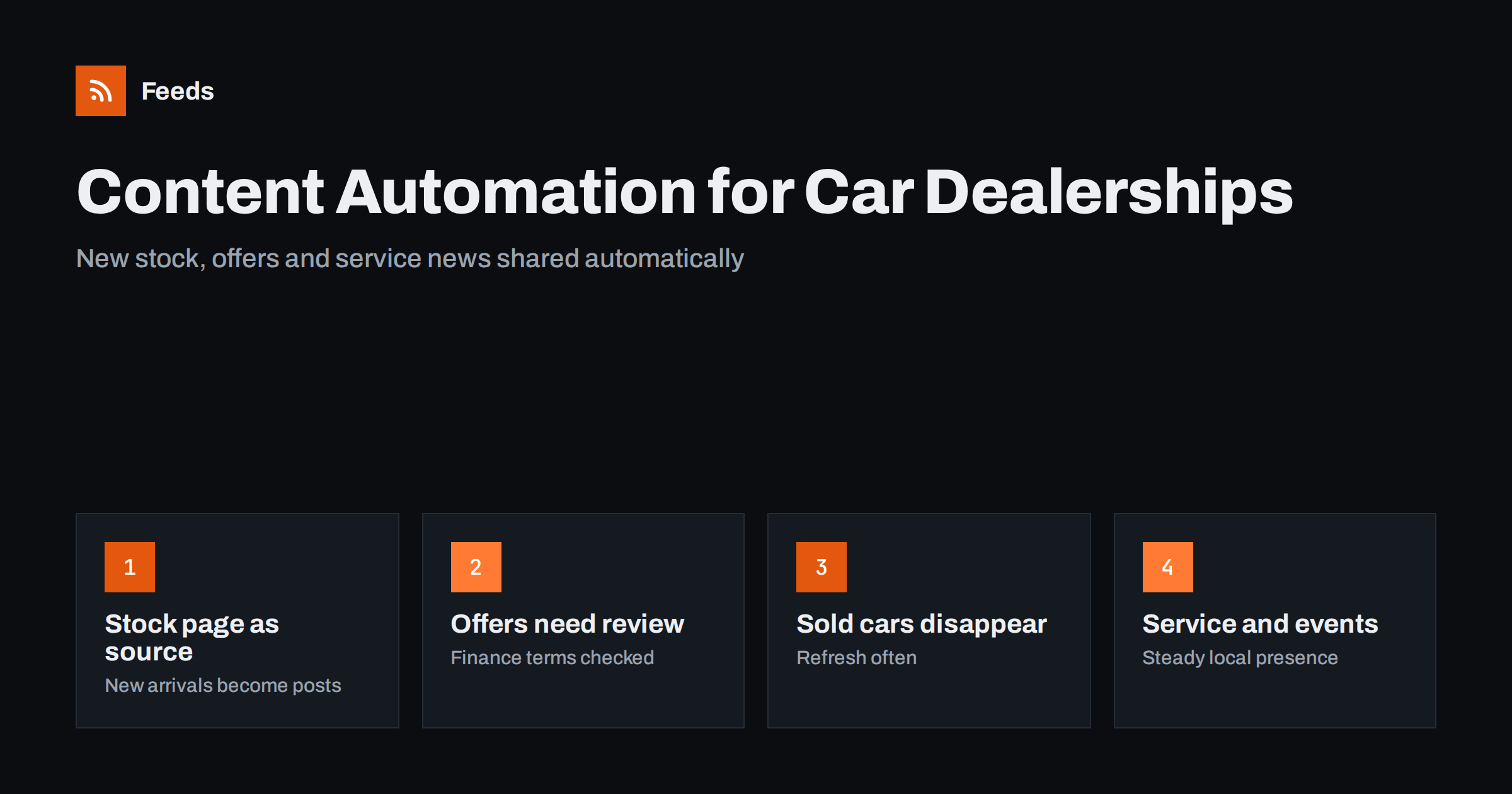
Short answer: Car dealerships can automate the sharing of new stock, blog posts, service news and events by turning their website’s stock and news pages into feeds and connecting them to social networks and newsletters. New arrivals can be posted automatically with an image, model and link, while offers that mention prices or finance terms should be reviewed before posting. Refresh stock feeds often so sold cars stop appearing, and keep the website as the single source of truth.
Why dealerships benefit from automation
A dealership’s stock changes every day. Cars arrive, are prepared, photographed and listed, and some are sold within days. Each new arrival is a reason to post, but sales staff and marketing teams rarely have time to announce every car on every channel. The result is social profiles that show a fraction of the stock, often with posts about cars that are long gone.
The website, on the other hand, is usually up to date because the stock management system updates it. Automation uses that fact: the website becomes the source, feeds carry new listings to social networks and newsletters, and staff spend their time with customers instead of copying listings.
Beyond stock, dealerships have a steady stream of other content: service offers, seasonal checks, new model announcements, community events and staff news. These also fit an automated flow, as long as the content that involves prices and legal terms is handled carefully.
For groups with several locations, the effect is larger still. Each branch can have its own social profiles fed from its own stock page, so local followers see the cars they can actually visit, while the group’s central profiles share news and model announcements for all locations.
Content that fits an automated flow
Not every post should be automated. A simple split keeps the routine work automatic and the sensitive work in human hands.
| Content | Automate? | Notes |
|---|---|---|
| New used-car arrivals | Yes | From the stock page, with image and link |
| Blog posts and buying guides | Yes | From the website’s blog feed |
| Service and maintenance news | Yes, with templates | Seasonal checks, opening hours |
| Events and open days | Yes | From an events page |
| Price promotions and finance offers | Review first | Legal wording must be correct |
| Customer handover photos | Manual | Only with the customer’s consent |
For the general principles, see what content automation is and how small teams use it and full auto versus an approval queue.
Turning the stock page into a feed
Most dealership websites have a stock or inventory page that lists cars with a photo, model, year, mileage and price. Few of them publish RSS for it. A page-to-feed tool can read that list and turn each car into a feed item, checking the page regularly for new arrivals.
- Open the stock page sorted by newest first, if the website allows it, and use that address as the source.
- Create a feed from the page and check the preview: each car should be one item with its image and link.
- Filter if needed, for example one feed for electric cars and another for vans, using keywords in the titles.
- Connect the feed to your social posting tool with a template that names the model and invites a visit or test drive.
Search and filter pages on stock sites often have their own addresses, which makes it easy to create separate feeds for different segments. Our guide on turning a website’s search results into an RSS feed explains this approach, and creating an RSS feed for a website without RSS covers the basics.
Prices, finance and advertising rules
Vehicle advertising is regulated in many countries. Prices may need to include certain fees, finance offers often require representative examples and specific wording, and fuel consumption or emissions information may have to accompany some advertisements. Rules differ by market, so check the requirements that apply to you.
- Keep finance terms out of automated templates; write finance offers by hand and have them checked.
- If automated posts include a price, make sure it is the same price as on the website and includes what the rules require.
- Avoid templates with claims such as “lowest price” or “guaranteed approval”.
- Pause automated stock posts during price changes or system updates, so outdated prices do not go out.
A safe pattern for many dealers is to post the model, year, key feature and image automatically, and to let the website show the price and legal details. The post invites a click; the website provides the complete, compliant information.
Keeping sold cars out of your posts
A post about a car that sold yesterday is frustrating for a buyer who calls about it. Social posts cannot be updated automatically after they go out, but you can keep the stream fresh.
- Refresh the stock feed often, so a car that sells before posting is never shared.
- Delay new-arrival posts by a few hours if cars are often reserved immediately by existing customers.
- Use post templates that invite people to check current availability on the website.
- Do not reshare old stock posts; reshare evergreen guides and service content instead.
Duplicate posts are another risk when a car is relisted after a price change or a correction. Our guide on how to stop duplicate posts in automated content workflows explains how to prevent the same car from being posted twice.
Photos deserve a quick check too. Many stock systems show a placeholder image until the real photos are uploaded, and an automated post made at that moment will share the placeholder everywhere. If your listings often go live before photos are ready, delay the post or filter out items whose image is a placeholder, so every post shows the actual car. Consistent, well-lit photos taken in the same place also make your social profiles look professional at a glance.
Service, events and local presence
The service department is often the most stable source of business for a dealership, and its content is ideal for automation. Seasonal reminders about tyre changes, air conditioning checks, winter preparation or inspections can be published as short posts on the website and shared automatically. Opening hours around holidays and service announcements reach customers on every channel at once.
Events such as open days, new model launches or community sponsorships can come from an events page. Post them a few days before and again on the day. Local listings are also worth including; see whether you can auto-post to Google Business Profile from RSS.
Product feeds for shopping and catalog advertising are a separate topic: some ad platforms offer dedicated vehicle formats with their own specifications. Social posts from a stock feed complement those ads by keeping your organic profiles active.
Measuring results
Add campaign tags to automated links so your analytics show visits from each channel to stock pages, and track enquiries, test drive requests and calls where possible. Compare months rather than individual posts, because car purchases take time and a buyer may see several posts before getting in touch.
Review which segments get attention. If electric car posts bring more visits than others, give them their own feed and channel focus. If a channel brings no visits at all after a few months, reduce posting there and focus on channels that work.
Ask the sales team as well. They hear which posts customers mention when they call or visit, and that feedback often explains numbers that analytics alone cannot.
How RSS Feed Creator helps
RSS Feed Creator (Feeds) turns public stock pages, news sections and event lists into clean feeds with titles, images, summaries and dates, without plugins or code on your website, and uses an existing feed when there is one. You can merge several sources into one feed, keep only items with your words, such as a model or fuel type, or drop items you do not want shared, and duplicates are removed automatically. The feed refreshes on its own, and paid plans send an alert if a page changes and a feed stops finding items. You can create a feed on the free plan.
Related reading
- How to share new shop products on social media automatically
- Content automation for franchises and multi-location brands
- How to track traffic from automated posts with UTM tags
The bottom line
A dealership’s website already knows about every new car; automation makes sure social profiles and newsletters do too. Turn the stock page into a feed, post new arrivals with images and links, share service news and events automatically, and keep prices and finance offers under human review. Refresh feeds often so sold cars stay out of your posts, and measure enquiries rather than likes.
KKK
Can I post every new car automatically?
Yes, if the stock page lists new arrivals reliably. Turn it into a feed and connect it to your social tool with a template that includes the model, an image and a link to the listing.
Should automated car posts include the price?
Only if the price matches the website and meets local advertising rules. Many dealers post the model and features and let the website show the price and legal details.
How do I stop sold cars from being posted?
Refresh the stock feed often and consider a short delay before posting new arrivals. Avoid resharing old stock posts, because those cars may already be sold.
Can finance offers be automated?
It is better to write them by hand. Finance offers usually require specific wording and examples, which should be checked for every campaign.
What other content can a dealership automate?
Service reminders, opening hours, blog posts, buying guides and events. These change less often than stock and fit an automated flow well.