ENEnglish
 LTLietuviškai
 DEDeutsch
 FRFrançais
 RUРусский
 ESEspañol
 PLPolski
 ITItaliano
 UKУкраїнська
 CSČeština
 PTPortuguês
 JA日本語
JA日本語 LVLatviešu valoda
 ETEesti
 HUMagyar
 IDBahasa Indonesia
 TRTürkçe
 HIहिन्दी
 ELΕλληνικά
 ARالعربية
 THไทย
THไทย VITiếng Việt
 RORomână
 MSBahasa Melayu
 BNবাংলা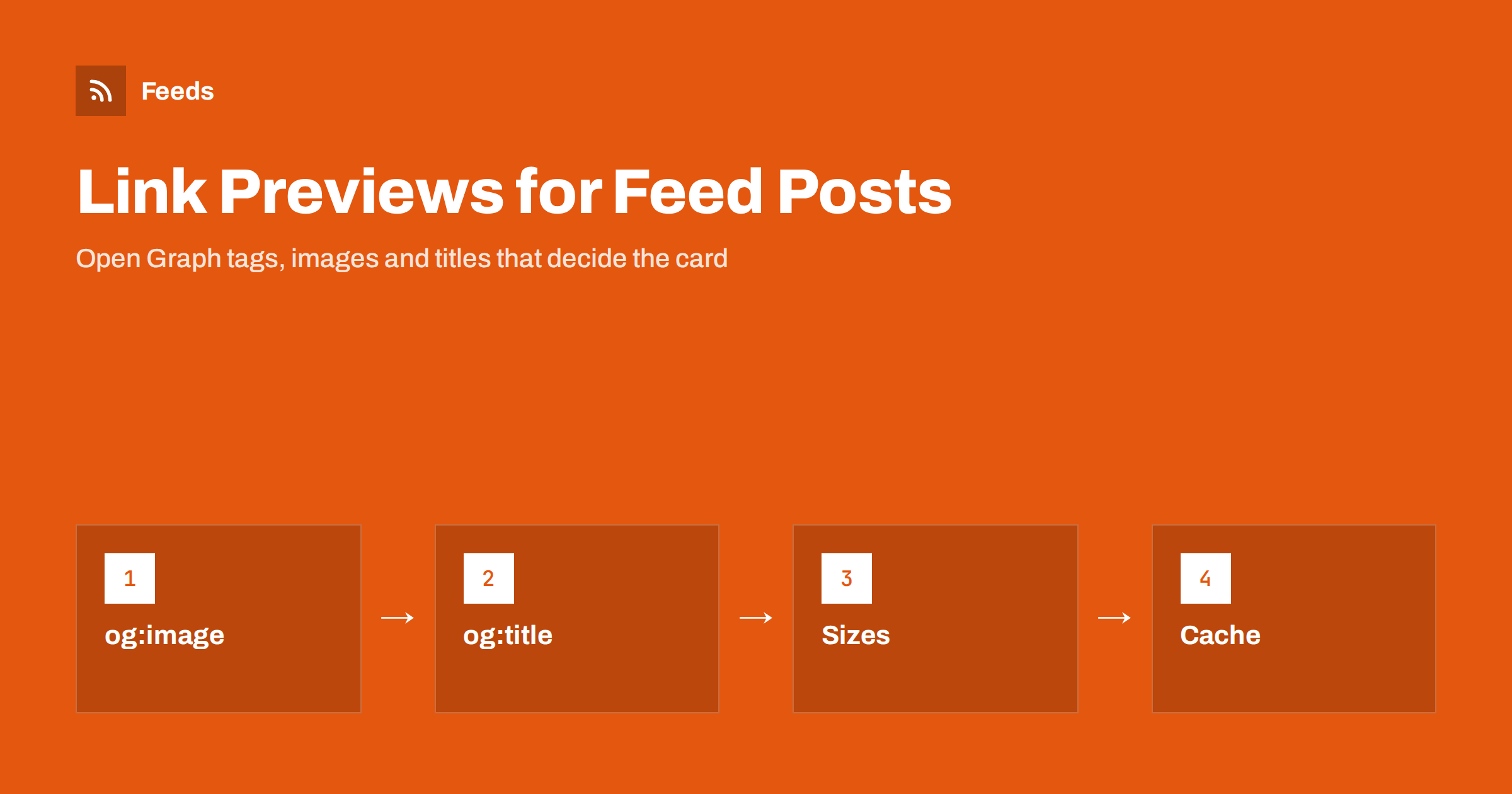
Short answer: When a post from an RSS feed is shared on a social network or in a chat, the preview card is not built from the feed. It is built from the Open Graph tags on the page that the item links to. The main ones are og:title, og:description, og:image and og:url. If the card shows the wrong picture, a cut-off title or nothing at all, the fix is almost always on the web page: set the tags, use a wide image of a suitable size, keep titles short and refresh the cache of the platform that has stored the old version.
Where a link preview really comes from
An RSS item has a title, a link, a summary and sometimes an image. When automation posts that item to a social account, it usually sends the title, the link and perhaps some text. The platform then visits the link, reads the HTML of the page and builds the card from what it finds there. The feed’s own image, if any, is often ignored.
That is why two posts from the same feed can look so different. One links to a page with complete tags and gets a clean card with a wide image. The other links to a page with no tags and gets a grey box with a domain name. The feed was fine in both cases. If the images are missing, start with the page, then read the troubleshooting steps in fixing automated posts that have no image.
The four tags that do most of the work
Open Graph is a small set of meta tags in the head of a page. Four of them matter for almost every card:
og:titleis the headline of the card. It can differ from the page title, and it is worth writing for people who see it in a feed.og:descriptionis a sentence or two under the headline. Not every platform shows it, but those that do reward a clear summary.og:imageis the address of the picture. It must be an absolute address that works without logging in.og:urlis the canonical address of the page, which keeps likes and shares on the same item even when the link carries tracking parameters.
Most content management systems and SEO plugins can write these tags for you. The important thing is to check the result by viewing the page source or by using the debugging tool that the platform provides, rather than assuming that the plugin did what you expected.
Image sizes and shapes
The picture decides whether a card gets noticed. Platforms crop it to a wide rectangle, so the best choice is an image with an aspect ratio of roughly 1.91 to 1, such as 1200 by 630 pixels, with the important content in the middle. A square or portrait image is cropped, and a logo placed at the edge disappears. Very small images are shown as a small thumbnail beside the title, or not at all, depending on the platform.
Keep the file size reasonable. A multi-megabyte picture can fail to load in the time that a crawler is willing to wait, and then the card has no image. A file of a few hundred kilobytes, in JPEG or PNG, is a safe choice. Avoid images that need a cookie or a login to load, and avoid addresses that redirect through several hops.
Text inside images should be short and large. A card is often seen at thumbnail size on a phone, and a picture full of small words becomes noise. A clear subject with a headline of a few words travels best.
Titles and descriptions for cards
Platforms cut titles at different lengths, so put the most important words first. Around 60 characters is a safe limit for the headline, and a description of one or two short sentences, under about 150 characters, will usually show in full. Avoid putting the site name at the start of every title, since it uses space and says nothing new. The same principle applies to feed titles, which are covered in writing RSS item titles and summaries that get opened.
If your automation adds its own text above the link, keep it short and avoid repeating the title. The card already shows the headline; the text of the post is a chance to add something, such as why the item matters or a question to the reader. See post templates for automated social feeds for patterns that work.
Twitter and X cards, and other platforms
Most platforms read Open Graph tags. Some also look for their own tags first. The X platform supports card tags such as twitter:card, which tells it whether to show a large image or a small one, and falls back to Open Graph for the rest. Professional networks, chat apps, team chat tools and forums mostly follow Open Graph with small differences in image size and text length.
A practical approach is to set the Open Graph tags well and add the card type tag, then test the page on each platform you post to. If you send items to chat tools or community servers as well, test there too; the setup is described in posting RSS to Discord and posting RSS to Slack, and each tool has its own quirks.
Why old previews do not go away
Platforms keep a copy of the preview for a period of time. If you share a link and then fix the tags, the card may keep showing the old version for hours or days. Most platforms offer a debugging or refresh tool where you can paste the address and ask for a fresh read. Use it after changing an image or a title, and do it before you schedule a batch of posts rather than after.
Chat apps often keep their own cache and offer no tool. In that case, the usual trick is to add a harmless parameter to the link, which makes it a new address. This is also a reason to keep your tracking parameters consistent: a different parameter on every post means a fresh scrape every time, which is fine, but it can also mean different previews if the page changes in between. Guidance on tidy parameters is in UTM tags for automated posts.
Common reasons a card looks wrong
- No tags at all. The platform guesses, picking the first image or a logo.
- Relative image addresses. The image path must start with the full address, including https.
- Blocked crawlers. A firewall, a login wall or a robots rule stops the platform from reading the page.
- Images behind a redirect or a cache rule. The crawler gets an error page instead of a picture.
- Mixed content. An http image on an https page may be ignored.
- Several image tags. If the page has more than one, platforms may pick the first or let the user choose.
If blocked crawlers are the problem, the diagnostics are similar to those for feeds; read why a feed returns 403 or 429 for the way firewalls treat automated visitors.
A short checklist before you automate
Open the page that an item links to. View the source and look for the four tags. Open the image address directly in a browser, in a private window, and check the size and the file weight. Paste the page into the debugging tool of each platform you use and read what it reports. Finally, post one test item to a private or test account and look at it on a phone. Ten minutes of checking saves a long run of ugly cards.
For feed images that are served as attachments or media elements, a separate check applies; the formats are explained in Media RSS for images and video and RSS enclosures explained.
How RSS Feed Creator helps
RSS Feed Creator turns the list of items on a web page into a clean RSS feed, even when the site has no feed of its own. It reads titles, images, summaries and dates, uses an existing feed when there is one, and shows a preview of the items before the feed is created, so you can see whether each item has the picture and title you expect before anything is posted. You can merge several sources into one feed (up to 10 on paid plans), keep only the items that contain your keywords and have duplicates removed automatically. Feeds refresh every 3 hours on the free plan and every 30 minutes on paid plans, and the free plan allows up to 20 items per feed. The details are on the pricing page.
Related reading
- How to Automate Social Media Posts from an RSS Feed
- How to Add Featured Images to a WordPress RSS Feed
- How to Post RSS Feed Items to a Facebook Page
The bottom line
A link preview is built from the page, not from the feed. Set Open Graph tags on every page you share, use a wide image of a sensible size, write short titles, test on each platform and refresh the cache after a change. Then your automated posts will look as good as the ones you share by hand.
FAQ
Where do social networks get the picture for a shared link?
From the og:image tag in the head of the linked page. If the tag is missing, the platform guesses, often choosing a logo or the first image. The picture in the RSS item itself is usually not used.
What size should an Open Graph image be?
About 1200 by 630 pixels, with an aspect ratio of roughly 1.91 to 1, and the important content in the middle. Keep the file under a few hundred kilobytes, in JPEG or PNG.
Why does the preview still show the old image after I changed it?
The platform has cached the earlier version. Use the platform’s debugging or refresh tool to request a new read, or share the link with a harmless extra parameter so that it counts as a new address.
Do I need separate tags for X and other platforms?
Not usually. Most platforms read Open Graph. X also supports its own card tag, which sets the card type; with Open Graph in place, adding that one tag is normally enough.
Why is there no preview at all?
Common causes are a blocked crawler, a login wall, a relative image address, an image that fails to load or a page that redirects through several hops. Open the page and the image in a private window to see what an anonymous visitor gets.