ENEnglish
 LTLietuviškai
 DEDeutsch
 FRFrançais
 RUРусский
 ESEspañol
 PLPolski
 ITItaliano
 UKУкраїнська
 CSČeština
 PTPortuguês
 JA日本語
JA日本語 LVLatviešu valoda
 ETEesti
 HUMagyar
 IDBahasa Indonesia
 TRTürkçe
 HIहिन्दी
 ELΕλληνικά
 ARالعربية
 THไทย
THไทย VITiếng Việt
 RORomână
 MSBahasa Melayu
 BNবাংলা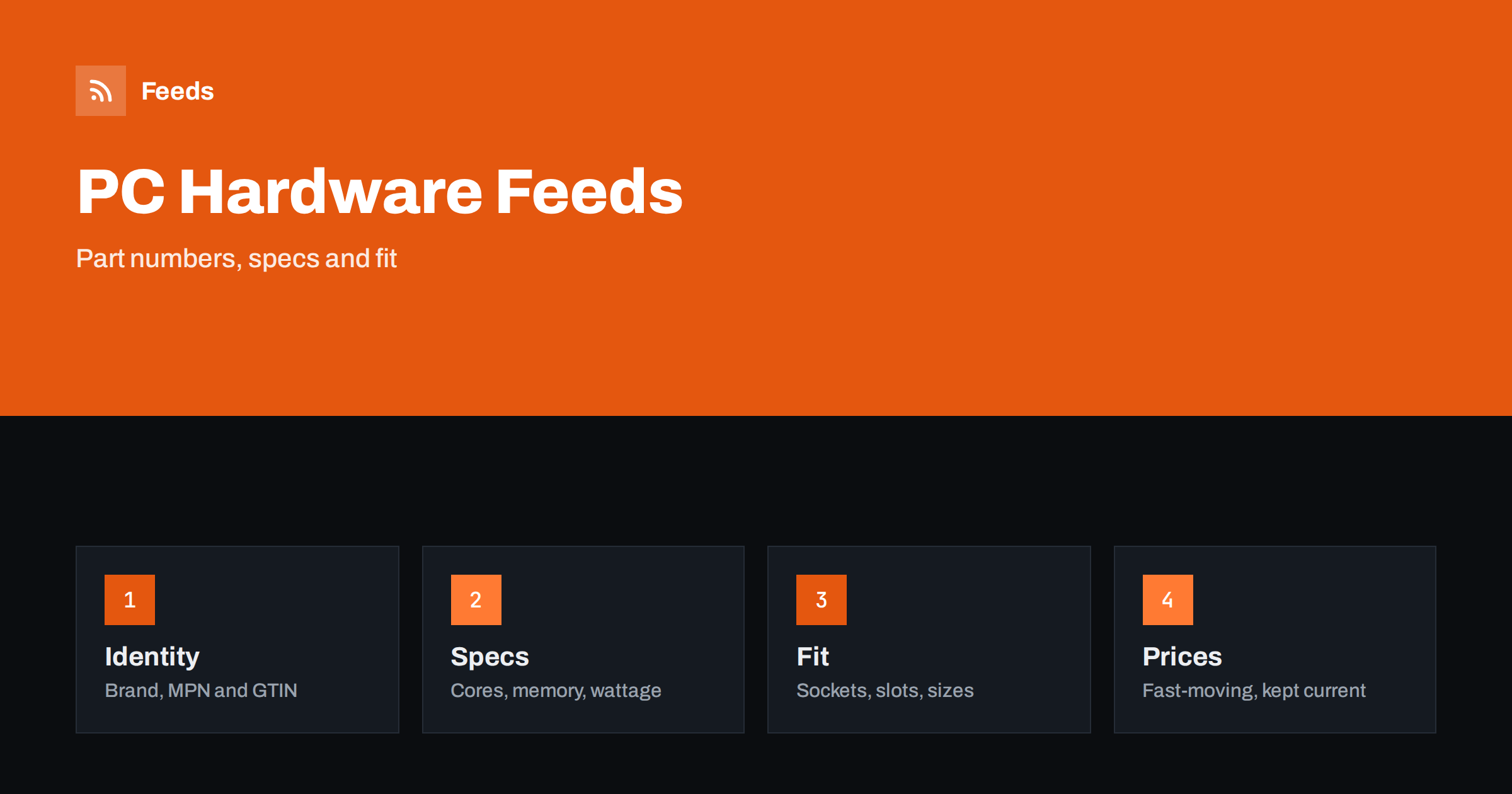
Short answer: PC components and computer hardware are bought by people who compare model numbers, specifications and compatibility. A good product feed gives every item the correct brand, part number and GTIN, puts the key specification in the title in a consistent order, states compatibility clearly, keeps prices and stock current in a market where they change often and describes warranty and delivery honestly. The feed does not make a part better, but it decides whether the right buyer finds it and whether the page confirms what they expected.
Why this category is demanding
Hardware buyers often know exactly what they want. They search for a model name, a chipset, a memory kit or a power supply wattage, and they compare dozens of offers in minutes. Several stores sell the same item, so identifiers, price, availability and delivery decide who wins. At the same time, the buyer fears making a mistake: a wrong socket, a case that does not fit or a power supply that is too small turns a purchase into a return.
That is why the feed needs more than a title and a price. It must present the identity of the product exactly and give enough structured information for people and systems to match it with the right search. The general structure of a feed is explained in what a product feed is, and the required fields in Google product feed attributes.
Identifiers: brand, MPN and GTIN
For hardware, identifiers are the foundation. Every item from a recognised manufacturer should have the brand, the manufacturer part number and, where available, the GTIN printed on the packaging or listed by the supplier. These identifiers let platforms recognise that your offer is the same product that others sell, and they support price comparison and product knowledge panels.
Take the values from the manufacturer or distributor, not from memory, and be careful with near-identical models. Two graphics cards, two memory kits or two drives may differ by one character in the part number but by a large amount in performance. Never invent an identifier. Details are explained in GTIN, MPN and brand: product identifiers in feeds. If a product truly has no GTIN, such as a custom-built system, handle it according to the platform rules rather than leaving a wrong value.
Titles that put the specification first
A useful title follows a fixed pattern for each type of product. For a processor it might be brand, model, core count, base frequency and socket. For memory it might be brand, series, capacity, type, speed and kit configuration. For a drive, brand, model, capacity, interface and form factor. For a power supply, brand, model, wattage and efficiency rating. The pattern should match what customers search for, not the order in your supplier’s spreadsheet.
Keep the exact model name, because experienced buyers search for it, and avoid promotional words such as “best” or “cheap”. Do not add specifications that the manufacturer does not give. If your platform produces titles you cannot change, a feed rule that rebuilds titles from attributes keeps them consistent; see product feed title optimization.
Specifications as structured data
List the figures shoppers compare as structured data in your store, not only as text in a description. For processors that means cores, threads, frequency and socket. For memory it means capacity, speed, type and latency. For storage, capacity, interface and read or write speed as stated by the manufacturer. For monitors, size, resolution, refresh rate and panel type. For cases and coolers, dimensions and supported sizes.
Use the same units across the catalogue and state them clearly. Copy the manufacturer’s figures and test conditions, and never present a “up to” speed as a typical speed. Products with several variants, such as colour, capacity or kit size, should be separate items linked by a shared group identifier; see how item_group_id works. Check that each variant has its own price, image and availability.
Compatibility: the biggest source of returns
Computer parts are modular, and compatibility is where mistakes happen. Processors need the right socket and chipset, memory needs the right generation, cases must fit the motherboard size and graphics card length, and power supplies need the right connectors. Put the compatible standard, socket or form factor in the title or in a clearly labelled attribute and on the product page.
Avoid vague words such as “universal” or “compatible with all” unless you can say exactly what fits. If a part has a known limitation, for example a motherboard that needs a firmware update for a newer processor, say so on the page. Spare parts and accessories need the same care; see product feeds for spare parts and compatible accessories. A shopper who can verify fit in ten seconds is far more likely to buy.
Fast-moving prices and stock
Hardware prices and availability change quickly, sometimes several times a day, and new generations of products replace older ones. If the feed is updated rarely, you will advertise a price you no longer charge or a part that is sold out, and platforms may disapprove the item for a price or availability mismatch. Keep the update frequency high enough for your catalogue and check the diagnostics regularly.
The causes and fixes are covered in how to fix price mismatch errors in Google Merchant Center and how often a product feed should update. Mark unavailable items as out of stock, or remove them; see out-of-stock products in your feed. For upcoming launches, use the preorder rules described in preorder and backorder products in feeds and never advertise a release date you cannot support.
Condition, bundles and accessories
Many stores sell returned, refurbished or used parts alongside new ones. Condition must be accurate in the feed and on the page: new, refurbished or used, with a clear explanation of what refurbished means in your shop and which warranty applies. A refurbished item is a different product from a new one and needs its own listing, price and, where appropriate, identifier.
Do not mix conditions in one listing and do not describe a used item as new. The rules and common pitfalls are in used and refurbished products in feeds. Accurate condition information reduces returns, protects your reputation and avoids policy problems.
Stores often sell bundles, such as a processor with a cooler or a motherboard with memory, and complete systems built from parts. Treat each bundle as its own product with its own identifier, a title that lists what is inside and a price that matches the checkout. Do not reuse the identifier of a single part for a bundle. Describe included cables, adapters and accessories accurately, since missing items are a frequent cause of complaints.
The rules for sets are in bundles and multipacks in product feeds. Accessories such as cables, adapters and cooling pastes should have their own listings so that shoppers can find them directly, and they should state which standards they support.
Warranty, delivery and returns
Hardware is valuable and sometimes fragile, so delivery and warranty information matter. State the warranty period and who handles claims on the product page, keep the shipping cost and time in the feed consistent with the checkout and be honest about customs, import fees or longer delivery for items shipped from other countries. The difference between account settings and attributes is explained in shipping in product feeds.
Show the return conditions clearly, including any rules for opened packages, and keep them the same on every page. Where you offer installation or assembly, describe it as a separate service so that the product listing stays accurate. Shoppers value clear terms, and clear terms reduce disputes.
How RSS Feed Creator helps
RSS Feed Creator builds Google Merchant Center and Meta catalog XML straight from your store. WooCommerce and Shopify are read automatically, and any other store can use a CSV link. You can skip out-of-stock products, rewrite titles with rules so that the model, capacity and key specification appear in the same order every time, and adjust prices. Before you submit anything, check the preview and the Merchant Center diagnostics to confirm that identifiers, variants and bundles arrive as you expect. The free plan includes product feeds with up to 50 products, and the Store plan covers one store with 3 product feeds and up to 2,000 products. The details are on the pricing page.
Related reading
- Product Feeds for Electronics Stores: Specs, GTINs, Variants
- Product Feeds for Phone Accessories: Compatibility and Variants
- Product Feeds for Video Game and Console Stores: A Guide
The bottom line
A computer hardware feed works when every item has the right brand, part number and GTIN, titles lead with the specification, compatibility is easy to verify and prices and stock stay current. Describe condition, bundles and warranty honestly, check the preview and diagnostics, and shoppers will find the correct part and trust the page they land on.
GYIK
Which identifiers do hardware products need?
Brand, manufacturer part number and GTIN where one exists. Take them from the manufacturer or distributor and never invent values, because wrong identifiers cause mismatches and disapprovals.
How should I show compatibility?
Put the socket, standard or form factor in the title or a labelled attribute and on the page. Avoid vague words such as universal unless you can say exactly what fits.
How often should a hardware feed update?
As often as prices and stock change in your shop. Frequent changes need frequent updates, and a daily check of the diagnostics catches mismatches before they cost you clicks.
Can I list refurbished parts?
Yes, with the condition stated correctly in the feed and on the page, a separate listing from new items and a clear description of the warranty.
Should bundles have their own listing?
Yes. Give each bundle its own identifier, a title that says what is inside and a price that matches the checkout, and do not reuse the identifier of a single part.