ENEnglish
 LTLietuviškai
 DEDeutsch
 FRFrançais
 RUРусский
 ESEspañol
 PLPolski
 ITItaliano
 UKУкраїнська
 CSČeština
 PTPortuguês
 JA日本語
JA日本語 LVLatviešu valoda
 ETEesti
 HUMagyar
 IDBahasa Indonesia
 TRTürkçe
 HIहिन्दी
 ELΕλληνικά
 ARالعربية
 THไทย
THไทย VITiếng Việt
 RORomână
 MSBahasa Melayu
 BNবাংলা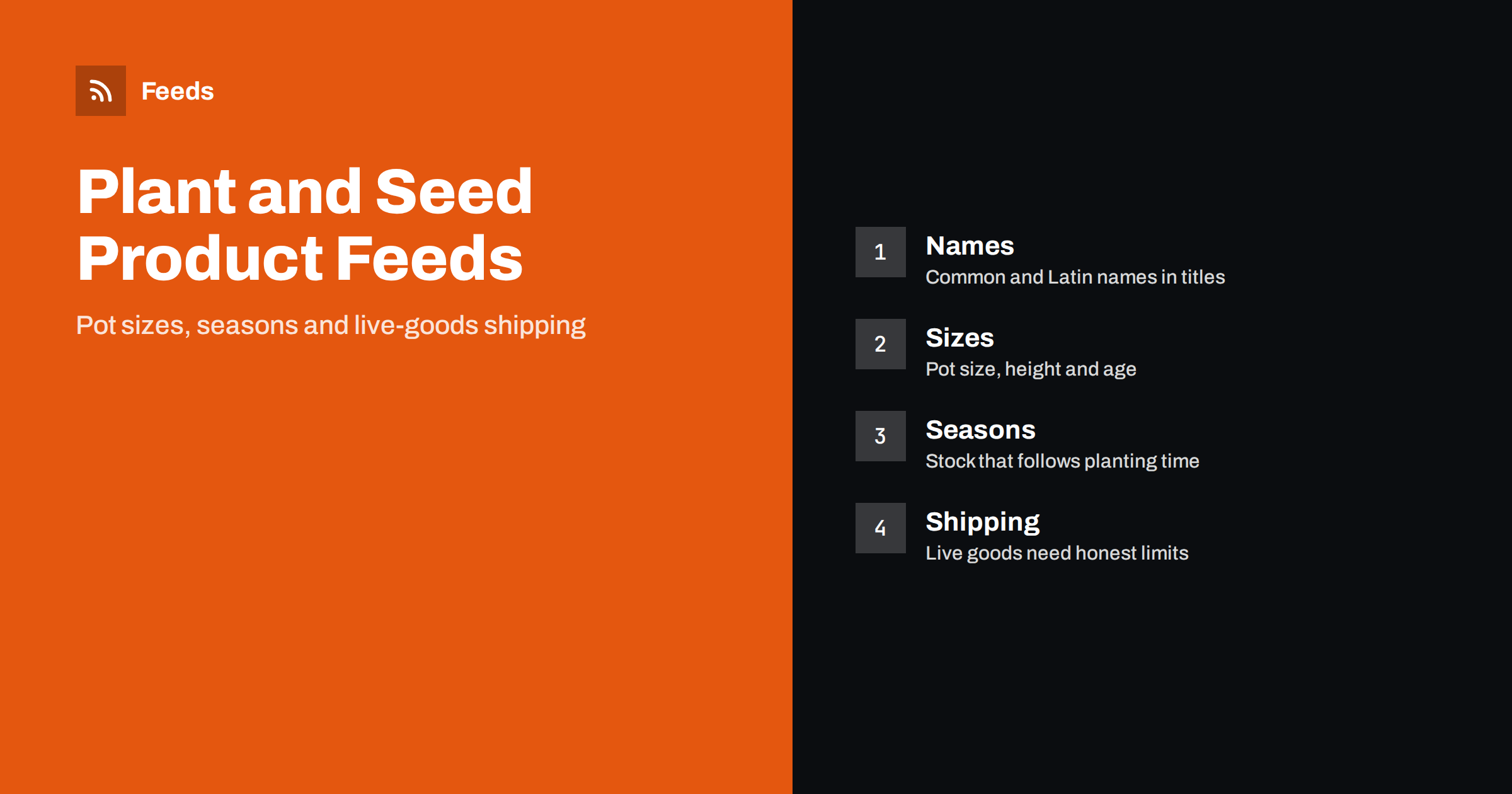
Short answer: A nursery or seed shop sells living things, so a good feed has to describe size, age and season as carefully as it describes colour. Put the common name and, where it helps, the Latin name in the title, state the pot size or the packet quantity, treat each size as its own variant, keep stock tied to the real growing calendar, and make shipping information match what you can actually send, since live plants, soil and some seeds face restrictions. Honest descriptions of height, hardiness and care reduce returns more than any clever title.
Why plants are different from other products
Most products in a feed are manufactured and identical. A plant is neither. Two pots of the same variety can differ in height and fullness, a bare-root plant looks nothing like the potted one in the photo, and availability changes with the weather and the season, not just with the warehouse. The product may also be fragile, perishable and subject to rules that do not apply to a mug or a pair of shoes.
Customers know this and look for reassurance: what size will arrive, when, in what condition and how to look after it. A feed that answers these questions, and a product page that agrees with it, builds trust with the shopper and with the platform. Before you work on the details, check the basics with the product feed checklist and the list in Google product feed attributes.
Names: common, Latin and variety
Shoppers search by common name (“lavender”, “tomato seeds”, “japanese maple”) and sometimes by Latin name or by a variety. A title that carries the common name first, followed by the variety or Latin name, serves both: “Lavender ‘Hidcote’ (Lavandula angustifolia), 2 Litre Pot”. Keep the same order for the whole catalogue, and use the variety name exactly as the grower or breeder writes it, including quotation marks only if your style uses them consistently.
Do not stuff the title with every name a plant has ever had. Add alternative names to the description, where they help search without hurting the headline. If a plant is a registered variety with a protected name, use the name correctly and do not apply it to other plants. And where a seed packet is sold under a variety name, say the type clearly: vegetable, flower, herb, lawn seed or green manure.
Sizes: pot, height, age and quantity
Size is the main variant of a plant. A shrub may be sold in a 2 litre pot, a 5 litre pot and a 10 litre pot, at different heights and prices; a hedge plant may be sold bare-root in a bundle of 25, 50 or 100; a bulb is sold by a size grade and a quantity per bag. Each of these is a separate product with its own identifier, price and stock, grouped with the others of the same plant using a shared group identifier. The grouping is explained in product variants in feeds.
State the facts the shopper uses to judge the product: pot size in litres or centimetres, height at dispatch (a range is fine), age or girth for trees, and the number of items for bundles. Do not exaggerate: “approximately 40 to 60 cm tall in the pot” is better than “tall plant”. Multipacks, such as ten plug plants or a set of three herbs, are covered in bundles and multipacks in product feeds, and the same rules apply when you assemble a collection yourself.
Seeds are sold by weight or count. Put “100 seeds” or “5 g” in the title and in the multipack or measure attribute, and keep the number in line with the packet. If several packet sizes exist, list them as separate products, and consider unit pricing where the market expects it; see unit pricing in product feeds.
Identifiers: when there is no barcode
Many plants have no GTIN. A grower may label plants with its own code or none at all. Do not invent a barcode and do not use another seller’s. Where a barcode exists, as on seed packets from large brands, provide it with the brand and the manufacturer’s code. Where it does not exist, follow the platform’s guidance for products without identifiers, and give each product a stable internal identifier of your own that never changes, even if the supplier or the pot changes. The details of what is expected are in GTIN, MPN and brand in feeds.
Keep your identifiers consistent from one season to the next. A plant that you sell every spring should keep its identifier, so that its history and your campaigns remain attached to it, while the stock level and price change from year to year.
Seasons and stock
A garden calendar is a feed calendar. Bare-root trees and hedges ship in the dormant season, bulbs ship in autumn for spring flowers, summer bedding ships when frost has passed, and seeds sell in waves as sowing times arrive. A feed that advertises bare-root roses in July frustrates customers and invites availability warnings.
Plan the year. Before each season starts, add the new range to the feed, with correct images and sizes, a few weeks ahead of the first orders. When stock sells out or the season ends, mark products as out of stock or remove them. Do not leave seasonal products showing as available “pre-order” unless you really take pre-orders and the page says so; the rules are in pre-order and backorder in product feeds. Mark out-of-stock items promptly, as explained in out-of-stock products in your feed.
Natural products vary. If a variety is available in small numbers, update the stock level more often than the daily default. A feed that says “in stock” for the last ten plants, sold twice over by the afternoon, creates cancellations.
Descriptions: care, hardiness and honesty
A good description covers what the plant is, the size it arrives at, the size it will grow to, where and when to plant it, how much light and water it needs and how hardy it is. Use the measures common in your market, and state where the information comes from if it is a general guide. Avoid promises of results such as “guaranteed to flower in the first year” or “grows in any soil”, unless you can support them.
Do not use pictures of mature plants as if they were what the customer receives, without saying so. Where possible, show the real product and add a second image of the mature plant or the flower, with a caption on the page. Images should meet the platform’s requirements, with no watermarks or promotional text; see product feed image requirements. A mismatch between what is pictured, what is described and what arrives is a common cause of returns and negative reviews.
Shipping live goods and cross-border limits
Live plants, bulbs, soil and some seeds are subject to plant health rules that vary by country, and sometimes by region, species and season. Some can be sent freely within a country and not at all across a border, or only with documents. Do not assume that a country you can ship a book to is a country you can ship a plant to. Check the current rules for each market, use carriers who handle live goods, and exclude products from destinations where you cannot send them.
Shipping costs and times must match what the customer sees at checkout, including seasonal limits such as no dispatch during frost or high heat. The choice between account settings and feed attributes is covered in shipping in product feeds. If you sell to several countries, the points in multi-country product feeds apply to currency, language and rules. For general garden retail, see product feeds for garden, DIY and hardware stores, and for cut flowers and gifts, flower and gift shop product feeds.
How RSS Feed Creator helps
RSS Feed Creator builds Google Merchant Center and Meta catalog XML straight from your store. WooCommerce and Shopify are read automatically, and any other store can use a CSV link. You can skip out-of-stock products, which keeps sold-out and out-of-season plants out of the feed, rewrite titles with rules so that the common name, variety and pot size appear in the same order every time, and adjust prices. The currency is detected automatically. Before you submit anything, check the preview and the Merchant Center diagnostics to confirm that sizes and variants arrive as you expect. The free plan includes product feeds with up to 50 products, and the Store plan covers one store with 3 product feeds and up to 2,000 products. The details are on the pricing page.
Related reading
- Product Feeds for Grocery and Food Stores: A Practical Guide
- Product Feed Title Optimization: Formulas That Work
- 12 Product Feed Mistakes That Quietly Cost You Sales
The bottom line
A plant and seed feed succeeds when it is honest about living goods. Lead with the common name, state sizes and quantities clearly, give each size its own row, keep stock in step with the growing calendar, describe the product that really arrives and check shipping rules for every destination. Customers who receive what they expected come back each season.
DUK
Should the Latin name go in the product title?
It can help, but put the common name first, since most shoppers search that way. Add the variety and Latin name after it, or in the description, and keep the same pattern for the whole catalogue.
How do I list one plant in several pot sizes?
Create one row per pot size, give each its own identifier, price and stock, and link them with a shared group identifier. State the pot size and approximate height in the title or attributes.
What if my plants and seeds have no GTIN?
Do not invent one. Use the brand and manufacturer code where they exist, follow the platform’s rules for products without identifiers and give every product a stable internal identifier.
Can I advertise seasonal plants all year?
Only if you can supply them. Remove or mark out of stock the products that are not available, and add the new season’s range before orders begin. Avoid showing unavailable items as pre-orders unless you really take them.
Can I ship plants to other countries?
Not always. Plant health rules vary by country and species, and some plants, soil or seeds need documents or are not allowed at all. Check each destination and exclude products you cannot send.