ENEnglish
 LTLietuviškai
 DEDeutsch
 FRFrançais
 RUРусский
 ESEspañol
 PLPolski
 ITItaliano
 UKУкраїнська
 CSČeština
 PTPortuguês
 JA日本語
JA日本語 LVLatviešu valoda
 ETEesti
 HUMagyar
 IDBahasa Indonesia
 TRTürkçe
 HIहिन्दी
 ELΕλληνικά
 ARالعربية
 THไทย
THไทย VITiếng Việt
 RORomână
 MSBahasa Melayu
 BNবাংলা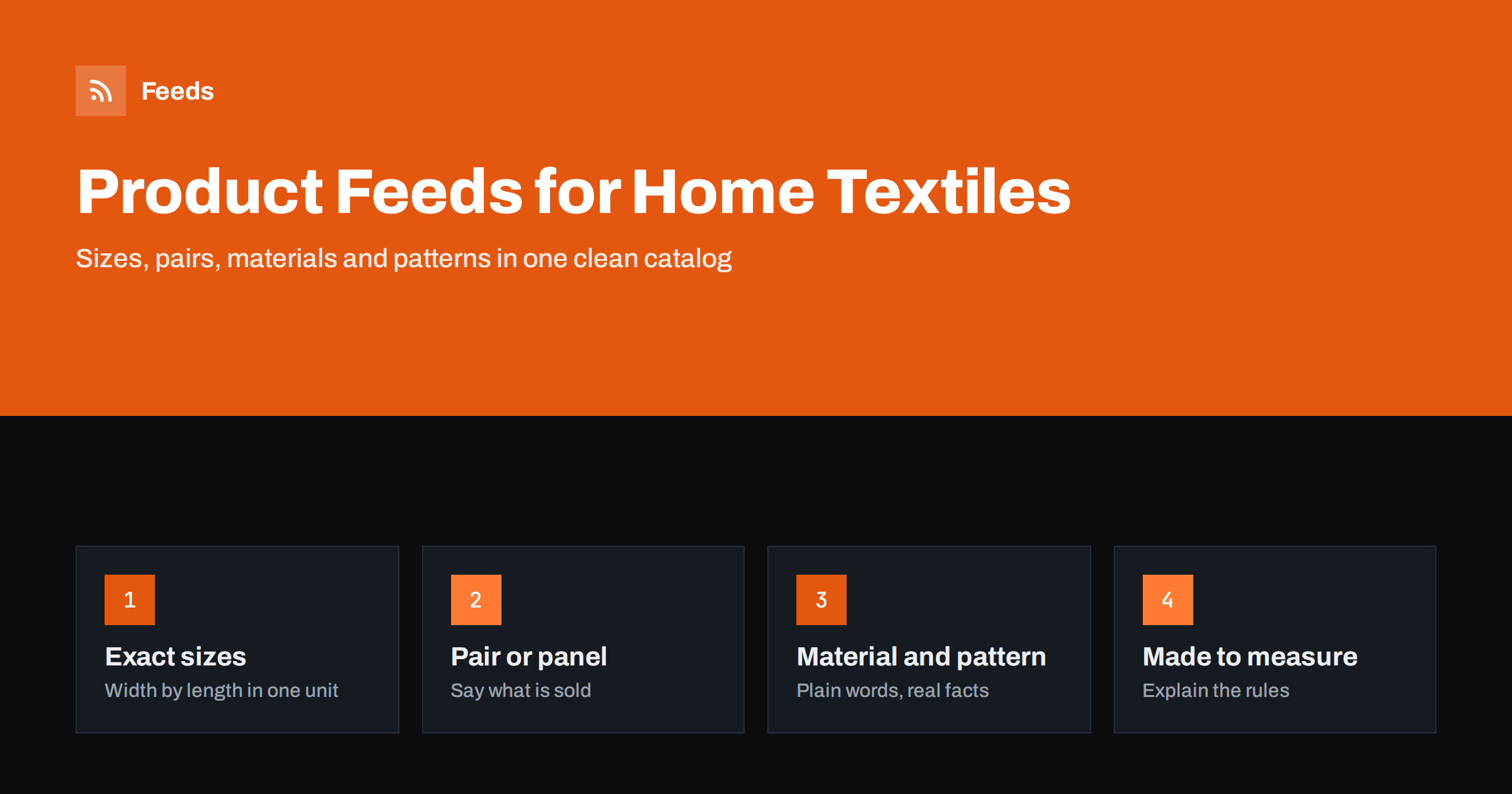
Short answer: Rugs, curtains and other home textiles sell well in a feed when the size is exact and the unit is clear, because size is the first thing a shopper checks. State the width and length in one consistent unit, say whether the price is for a single panel, a pair or a set, group colours and sizes as variants of one design, describe material and pattern in plain words, and explain made-to-measure rules in the description. Use the main image for the product itself and room scenes as additional images.
Why home textiles are tricky in a feed
A rug or a curtain looks simple, but the buying decision depends on numbers. The shopper needs to know whether a rug fits under a dining table, or whether a curtain covers a window and reaches the floor. Many designs come in a dozen sizes and several colours, so a catalog of two hundred designs can easily mean thousands of rows. Add made-to-measure items, sold by the metre or cut to order, and the data becomes difficult to keep tidy.
A good feed turns this into a consistent structure. Each sellable item gets its own row with its own price, size and stock, and the rows of one design are linked together. Platforms then show the product with the right size, and shoppers who click arrive on a page that matches what they saw. If you are new to the format, what a product feed is and how it works explains the basics, and the list of required Google attributes shows the minimum.
Sizes: one unit, width first
Choose one unit for the whole catalog, such as centimetres, and state size in the same order every time, for example width by length: “160 x 230 cm”. Mixing centimetres and inches or reversing the order between products confuses both shoppers and filters. Put the size in the title when it is the main difference between variants, and also fill in the size attribute and the product dimension details your store supports.
For curtains, be clear about what the numbers mean. Is the width the width of one panel or the total for a pair? Is the length the drop from the top of the heading to the bottom edge? Does the size refer to the finished curtain or the fabric before sewing? Write one short explanation in the description and use it for the whole range. For rugs, mention the shape, such as rectangular, round or runner, and the pile height if it matters for doors and vacuum cleaners.
Pair, panel, set or metre
The most common cause of disappointment in this category is a misunderstanding about quantity. A listing that says “curtains” may mean one panel or two. Put the quantity into the title: “Linen Curtain Panel, 140 x 250 cm” or “Set of 2 Curtains”. When a product is sold as a pair or a set, follow the rules in how to list bundles and multipacks in a product feed, including a plain statement of what is in the pack.
Fabric sold by the metre, trims and tapes need the price per unit. The measure and base unit rules for these items are described in unit pricing in product feeds. Keep the unit of the price, the minimum order and the cut length consistent between the feed and the product page.
Titles that follow the shopper’s thinking
A strong home textile title starts with what the product is and who makes it, then adds the details that separate it from similar products: material, colour, pattern and size. For example: “Brand Name Wool Blend Rug, Geometric Pattern, Grey and Cream, 160 x 230 cm”. Avoid vague words such as “beautiful” or “luxury” and promotional text, which most platforms do not allow. Use the same order for every product, so that your product rules and reports remain simple. The guide to product feed title optimization has formulas you can adapt.
Think about the words customers actually use. In some markets shoppers search for “carpet”, in others for “rug” or “mat”, and for “drapes”, “curtains” or “blinds”. Do not mix terms in the same title. Check the search terms in your own store reports and use them.
Material, pattern and colour
Fill in the material, the pattern and the colour attributes, using plain and accurate words. Write “100% cotton” only if that is what the label says, and say “polyester blend” when the fabric is a mix. Name the pattern the way a shopper would describe it: striped, floral, geometric, plain. Use a main colour that matches the picture, and a short list of secondary colours only where the platform allows it.
Be careful with claims. Terms such as flame retardant, hypoallergenic, blackout or washable are statements about performance, and some are covered by standards or advertising rules. Include them in the feed only when you can document them, and take the wording from the manufacturer’s data. A claim that cannot be supported can cause a disapproval or, worse, a complaint. The same caution applies to eco-friendly or certified labels.
Variants: designs, colours and sizes
A design that comes in four colours and five sizes has twenty variants. Give them all the same item group identifier, and give each one its own item identifier, price, image and stock. Then platforms can show the design once and let the shopper pick. The rules are explained in product variants and item_group_id. Use size and colour as the variant dimensions, and avoid adding extra dimensions you do not need.
Do not combine items that have a different price logic in one group. A ready-made rug and a made-to-measure version of the same rug are different offers, so list them separately. If the made-to-measure version is calculated by a configurator on your site, consider publishing a typical starting size with a clear “from” price in the description and a link to the configurator on the landing page. The guidance for custom items in product feeds for handmade and custom products applies here too.
Images and room scenes
For the main image, use a clean picture of the product alone, such as a rug seen from above or a curtain fully hung, without text, logos or price badges. Put room scenes, close-ups of texture and pictures that show scale in the additional image fields. Scale matters: add a photo with a sofa or a window that lets the shopper judge the size. Show the colour as truthfully as you can, because colour mismatch is a leading reason for returns in this category. Screens differ, so add a short note in the description if a shade can look different in daylight, and consider offering a small fabric or pile sample for colours that are hard to judge on a screen. The technical limits are listed in product feed image requirements for Google and Meta.
Price, stock and returns
Make sure the price in the feed equals the price on the page, and show a sale price only for the dates when it is valid, as in sale_price and effective dates. Stock needs the same care: a design may be available in one size and sold out in another, so update at the variant level. State the return conditions for made-to-measure and cut-to-size products clearly on your site, because these are often not returnable, and keep the policy consistent with what the feed and the landing page show. Shipping also deserves a check, since rolled rugs and long curtain rods can be heavy or oversized, and the delivery cost has to match your account settings.
How RSS Feed Creator helps
RSS Feed Creator builds Google Merchant Center and Meta catalog XML straight from your store. WooCommerce and Shopify are read automatically, and any other store can use a CSV link. You can skip out-of-stock products, rewrite titles and adjust prices with rules, and the currency is detected automatically. The free plan includes product feeds with up to 50 products, which is enough to test one collection of rugs or curtains. The Store plan covers one store with 3 product feeds and up to 2,000 products, and the details are on the pricing page.
Related reading
- Product feeds for furniture and home goods stores
- Product feed checklist: 25 checks before you submit
- Merchant Center disapproved products: causes and fixes
The bottom line
For rugs, curtains and textiles, the quality of the feed is the quality of the numbers. Use one unit and one order for sizes, name the quantity in the title, document material and performance claims, group designs as variants and keep room scenes out of the main image. Explain made-to-measure rules clearly, and keep prices and stock in step with your store.
FAQ
Should every rug size be a separate product in the feed?
Yes. Each size has its own price and stock, so it needs its own row, linked to the others by the same item group identifier.
How do I show that curtains are sold as a pair?
Put it in the title, for example “Set of 2 Curtains”, and in the description. If you sell single panels as well, list them as separate items.
Can I list fabric sold by the metre?
Yes, with a clear price per unit and a minimum order or cut length described on the product page. Use unit pricing attributes where they apply.
What image should be the main one?
A clean picture of the product alone, without text or overlays. Add room scenes and close-ups as additional images.
Do I need to mention certifications in the feed?
Only if you can document them. Use the wording from the manufacturer, and leave out claims that you cannot support.