ENEnglish
 LTLietuviškai
 DEDeutsch
 FRFrançais
 RUРусский
 ESEspañol
 PLPolski
 ITItaliano
 UKУкраїнська
 CSČeština
 PTPortuguês
 JA日本語
JA日本語 LVLatviešu valoda
 ETEesti
 HUMagyar
 IDBahasa Indonesia
 TRTürkçe
 HIहिन्दी
 ELΕλληνικά
 ARالعربية
 THไทย
THไทย VITiếng Việt
 RORomână
 MSBahasa Melayu
 BNবাংলা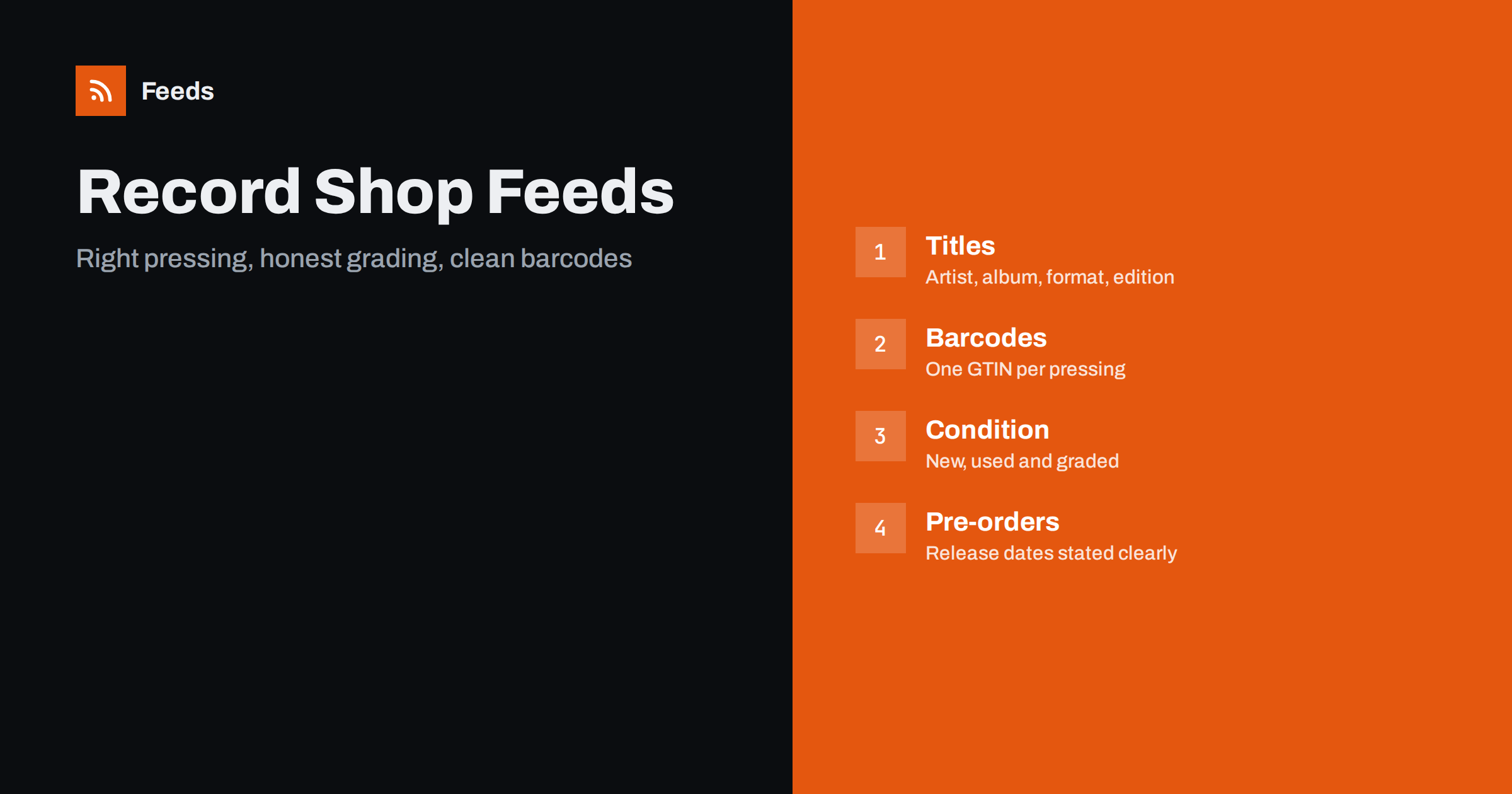
Short answer: Record collectors do not buy “an album”, they buy a specific pressing: a format, a colour, a country, a year, an edition. A good product feed for vinyl, CDs and other music media names the artist, album, format and edition in the title, uses the barcode that belongs to that exact release, treats new, used and graded copies as clearly different products, handles pre-orders with a proper availability date and describes condition honestly. That precision lowers returns, avoids disapprovals and attracts the buyers who know exactly what they want.
Why this category is different
A single album can exist in dozens of versions: the original pressing, a reissue, a remaster, a coloured vinyl edition, a box set, a deluxe CD, a cassette, a Japanese import. For a casual shopper these are the same record. For a collector, the differences decide the purchase and the price. A generic title such as “Album Name” will attract the wrong clicks and the wrong returns.
Music media also has a long tail. Shops may have thousands of titles with one or two copies each, many of them used. The catalogue changes every day because every sale removes an item. This makes automation important and accuracy even more so. Compare the situation with product feeds for collectibles and trading card stores, where condition and edition play a similar role.
Titles that describe the exact release
The title should help someone searching for a particular release to recognise yours. A useful order is artist, album title, format, then the distinguishing detail: colour, edition, year or country of release. For example: artist, album, “vinyl LP”, “180g”, “limited coloured edition”. Put the facts that decide the purchase early, because longer titles are cut off in some placements.
Use the same pattern for the whole catalogue, and write formats consistently: LP, 2LP, 7-inch single, CD, box set, cassette. Avoid hype such as “rare” or “must have” unless you can support it, and avoid copying marketplace titles in capital letters. A consistent formula can be applied by rule instead of by hand; product feed title optimization shows how.
Barcodes and identifiers
Most new releases carry a barcode, and the barcode belongs to the specific release, not to the album. A reissue usually has a different one from the original, and a coloured edition may have its own. Use the barcode printed on the product you are selling, and do not reuse one from another edition because it looks close enough. The wrong barcode makes the platform match your product to the wrong listing, which leads to disapprovals and angry buyers. The basics are in GTIN, MPN and brand: product identifiers explained.
For old pressings, used records and items without a barcode, follow the platform’s rules for products without identifiers instead of inventing numbers. Use the catalogue number printed on the sleeve or label as the manufacturer part number where there is one, and the record label as the brand. Your own SKU can serve as the item identifier.
New, used and graded copies
Condition is the heart of the second-hand record trade. Mark each item as new or used in the condition attribute, and describe the grade in the text. Collectors use grading systems for the sleeve and for the disc, such as “mint”, “near mint”, “very good plus”. Whatever system you use, apply it consistently, explain it on a page and describe flaws plainly: seam splits, ring wear, surface marks, writing on the cover. A buyer who finds the record as described returns happily; a buyer who finds a surprise returns the parcel.
Each used copy is a unique item. Give it its own identifier and its own photographs, because two copies of the same album can differ a lot. Do not group used copies as variants of a new item. The rules are explained in used and refurbished products in feeds. If a used item sells, remove it quickly, as there is rarely another one.
Pre-orders, restocks and release dates
Pre-orders are a big part of the trade: new albums, anniversary editions and Record Store Day style releases. If an item is not yet released, mark it as a pre-order and give the availability date from the distributor, rather than showing it as in stock. If the date moves, update the feed. Misleading dates generate complaints and mismatch warnings. The approach is covered in pre-order and backorder products in feeds.
For items that go out of print, state the fact only if it is true and known. Do not use scarcity language to push a sale, and do not describe a limited edition as sold out elsewhere unless you checked. Restocked items can reuse their identifiers if the product is the same release, which also keeps history and reviews attached to them.
Bundles, box sets and accessories
Box sets and bundles of records are common, and so are accessories such as inner sleeves, outer sleeves, cleaning kits and turntable parts. A box set is one product with one barcode; list it as such and say how many discs it contains. A bundle that you assemble yourself, such as a record with a poster or a slipmat, needs its own item, price and title, as explained in bundles and multipacks in product feeds.
Turntables and audio equipment belong in the electronics world, with specifications and compatibility; see product feeds for electronics stores. If you sell instruments too, compare product feeds for musical instrument stores. Keep categories separate so that a record is never mistaken for a hardware accessory.
Pricing, stock and sync with a physical shop
Many record shops sell in a physical shop and online at the same time, often with one copy of a used record. That creates a classic problem: an item sells over the counter and stays in the feed for hours. When the shopper clicks, the item is gone, and the platform records an availability mismatch. Update stock as often as your system allows, and make sure a counter sale removes the item from the website at once. See how often a product feed should update and availability mismatch in Merchant Center.
Prices of used and collectable records vary a great deal, and sellers often check market prices. Whatever you choose, the price in the feed must match the price on the page, including currency and any sale price. Do not change the page price without updating the feed. If you also sell on marketplaces, keep an eye on the differences described in marketplace product feeds: what changes from Google format.
Images, descriptions and content rules
Use a clear image of the actual front cover for new items, and photos of the exact copy for used ones, including the back, the label and any damage. Do not add watermarks, price banners or promotional text to images; see product feed image requirements for Google and Meta. Cover art is protected content, so only use images you have the right to show, normally those supplied by the distributor or taken by you.
Write descriptions that give the track listing or a short summary, the pressing details and the condition. Avoid copying long text from other sites. Some albums carry explicit content or artwork that platforms treat as adult material; check each platform’s policy for such items and mark them where required.
How RSS Feed Creator helps
RSS Feed Creator builds Google Merchant Center and Meta catalog XML straight from your store. WooCommerce and Shopify are read automatically, and any other store can use a CSV link. You can skip out-of-stock products, rewrite titles with rules so that the artist, album, format and edition appear in the same order every time, and adjust prices. The currency is detected automatically. Before you submit anything, check the preview and the Merchant Center diagnostics to confirm that used copies, pre-orders and barcodes arrive as you expect. The free plan includes product feeds with up to 50 products, and the Store plan covers one store with 3 product feeds and up to 2,000 products. The details are on the pricing page.
Related reading
- Product Feeds for Bookshops: ISBN, Authors and Formats
- Product Feed Checklist: 25 Checks Before You Submit
- Out-of-Stock Products in Your Feed: Keep, Mark or Remove?
The bottom line
A record shop feed sells well when it is exact: the artist, the format and the edition in the title, the barcode of the real release, honest grading for used copies and a proper date for pre-orders. Treat every pressing as the distinct product it is, and the catalogue will bring buyers who know what they are looking for and keep it.
SSS
Which barcode should I use for a reissue?
The one printed on the reissue itself. A reissue usually has a different barcode from the original, and using the wrong one links your product to the wrong listing.
How should I list used records?
As separate items marked as used, each with its own identifier, photos of that copy and a plain description of sleeve and disc condition. Do not group used copies as variants of a new item.
What should I do for items without a barcode?
Follow the platform’s rules for products without identifiers instead of inventing numbers. Use the catalogue number as MPN and the label as brand where available.
How do I handle pre-orders?
Mark the item as a pre-order, provide the availability date from your distributor and update it if the date changes. Do not show unreleased items as in stock.
Can I use the album cover as the product image?
For new items, normally yes, if the image comes from your distributor or you took it. For used items use photos of the actual copy, and do not add watermarks or promotional text.